November 2018 Update
Usability Enhancements
- Home Page Filter
- Ticket Enhancements
- Popup Placement
New Features
- Associated Contacts Updates
- Asset Management Updates
Self Service Interface Updates
- New Granularity
- Asset Dashboard now available via Send Service
Feature Enhancements
- Ticket Status by Team
- Ticket Type Levels - Override
- Multiple Project and/or Location Contacts
Advanced Features
- Mimic Accounts


November 2018
> Usability Enhancements > Home Page Filter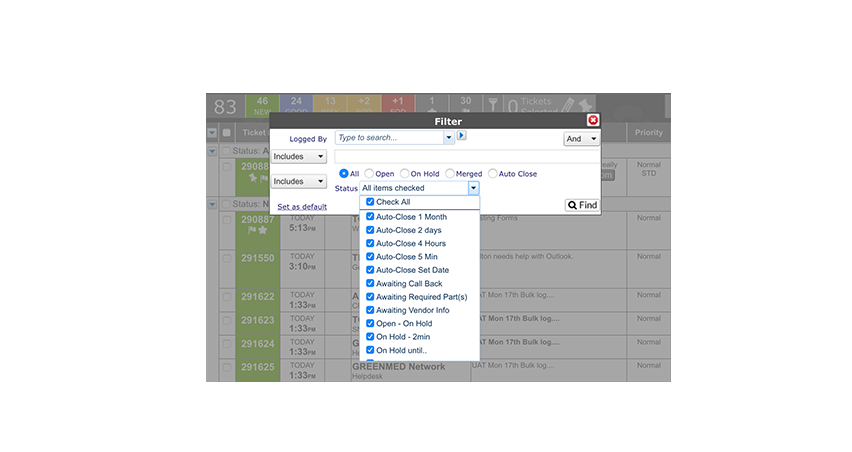
Home Page Filter
You can now filter your home page search by Status Type or select multiple statuses to include or exclude.
November 2018
> Usability Enhancements > Home Page Filter
November 2018
> Usability Enhancements > Group by Status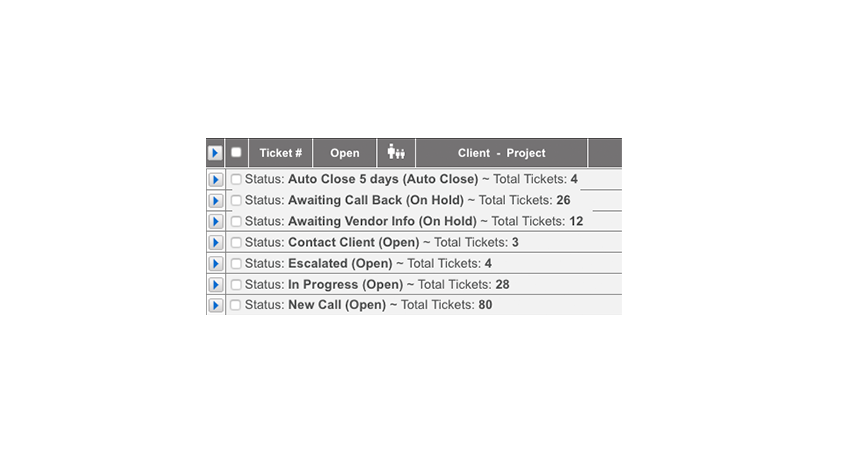
Group by Status
When grouping by Status, you will now see the status type for each status.
November 2018
> Usability Enhancements > Home Page Filter
November 2018
> Usability Enhancements > Ticket Enhancements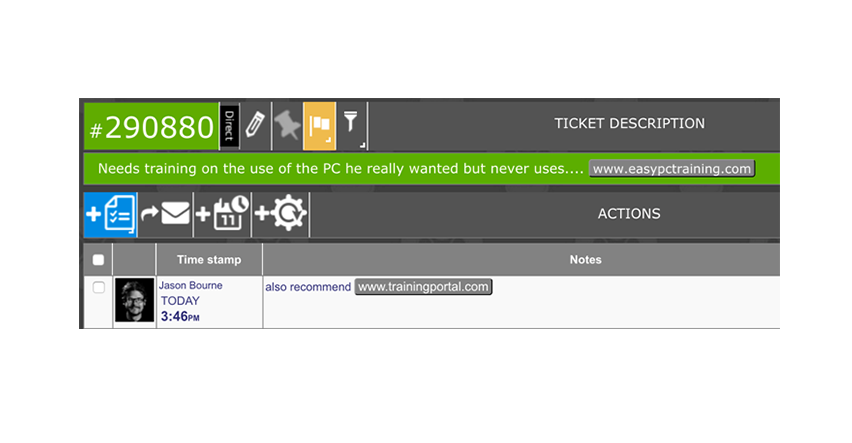
Hyperlinks
You can now place hyperlinks into the ticket description or any action note.
November 2018
> Usability Enhancements > Ticket Enhancements
November 2018
> Usability Enhancements > Ticket Enhancements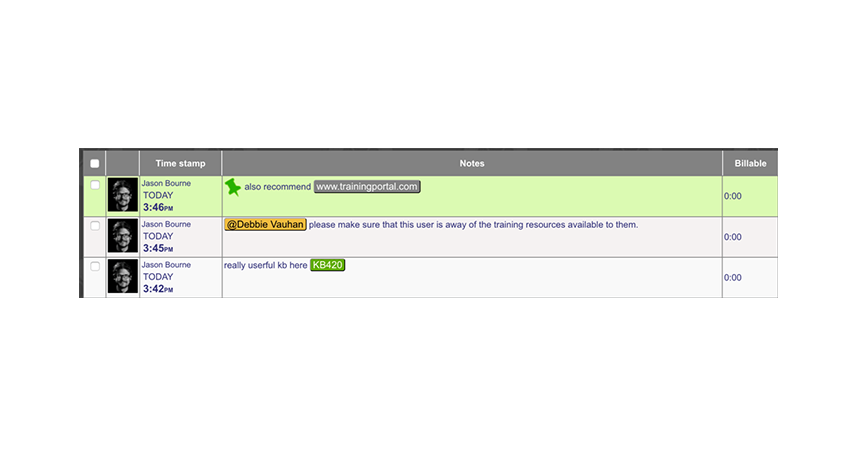
Pinning Actions
If you have permission, you can now select to ‘Pin’ one or more actions to the top of the action note thread.
November 2018
> Usability Enhancements > Ticket Enhancements
November 2018
> Usability Enhancements > Ticket Enhancements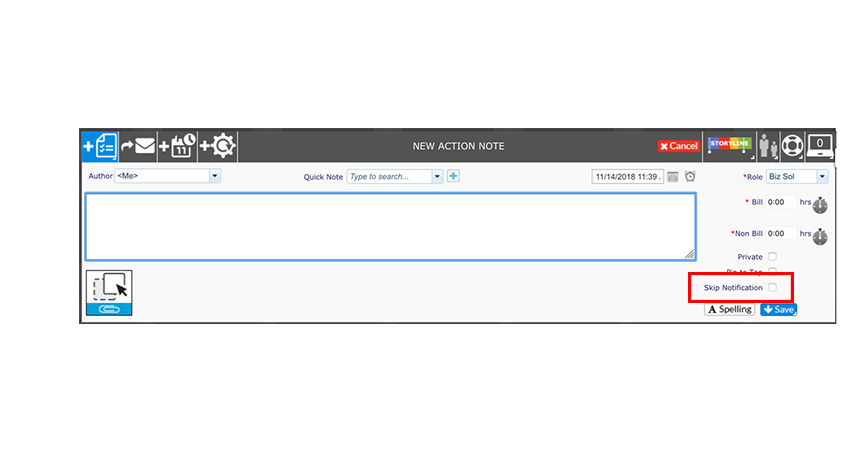
Skip Action Notifications
If you have permission, you can select to skip an action notification on an action-by-action basis.
November 2018
> Usability Enhancements > Ticket Enhancements
November 2018
> Usability Enhancements > Ticket Enhancements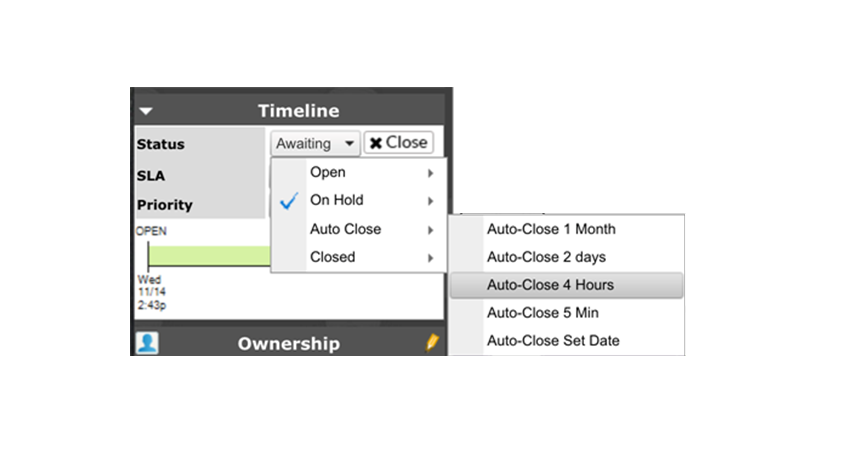
Improved Ticket Status Controls
When changing the status of a ticket, statuses are now grouped by type for clarity.
November 2018
> Usability Enhancements > Ticket Enhancements
November 2018
> Usability Enhancements > Popup Placement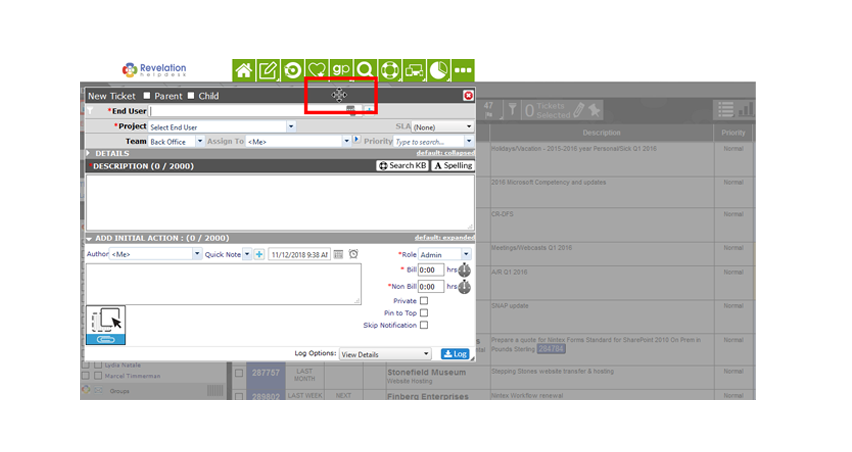
Popup Placement
You can now move any popup around on the screen to better visual access information you may need.
November 2018
> Usability Enhancements > Popup Placement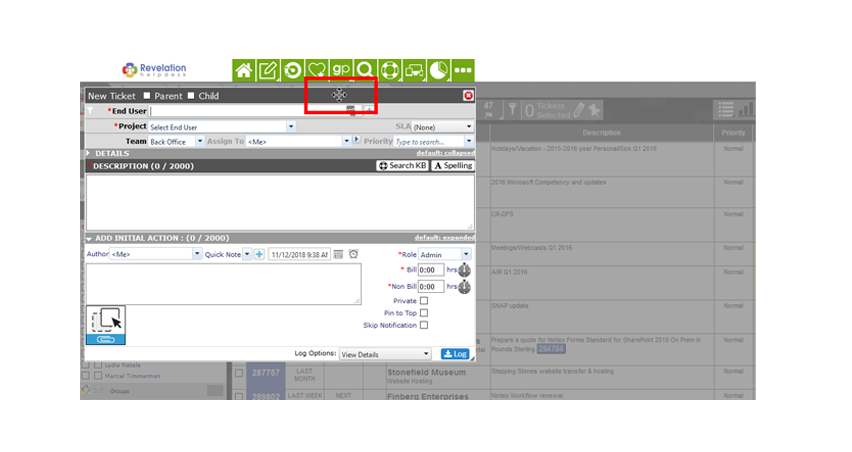
November 2018
> New Features > Associated Contacts - Updates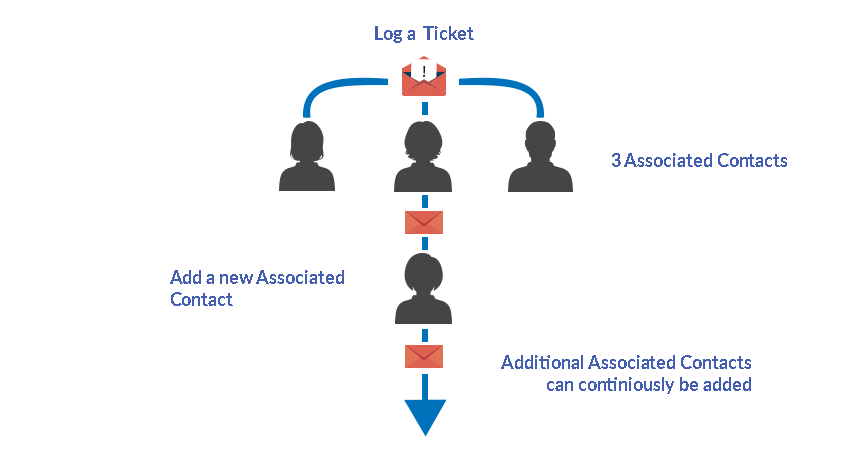
Associated Contacts can now be configured to enable additional contacts be added on an append action. (i.e. When they are added as a CC: on an email relating to an existing ticket). Additionally, you can select to associate any contact across the system to any ticket (when enabled).
November 2018
> New Features > Associated Contacts - Updates
November 2018
> New Features > Asset Management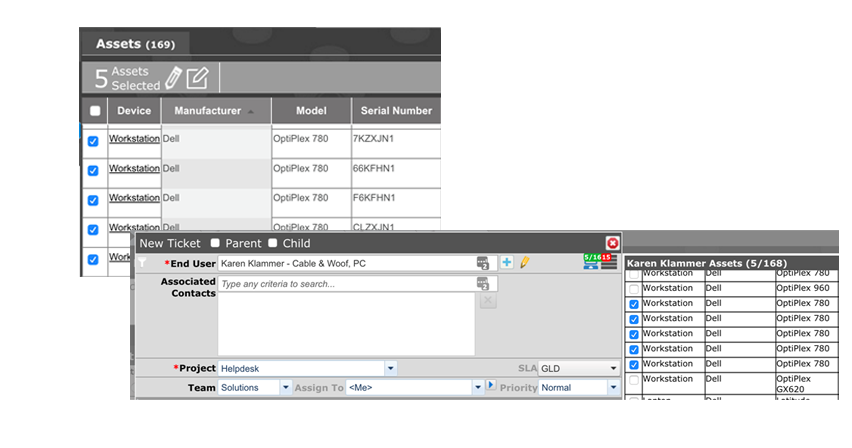
Assets - Bulk Logging
You can now select multiple assets from an Asset Search result and bulk log tickets linked to those assets. So, if you need to upgrade multiple workstations, you can log all the tickets at once.
November 2018
> New Features > Asset Management - Bulk Logging
November 2018
> New Features > Asset Management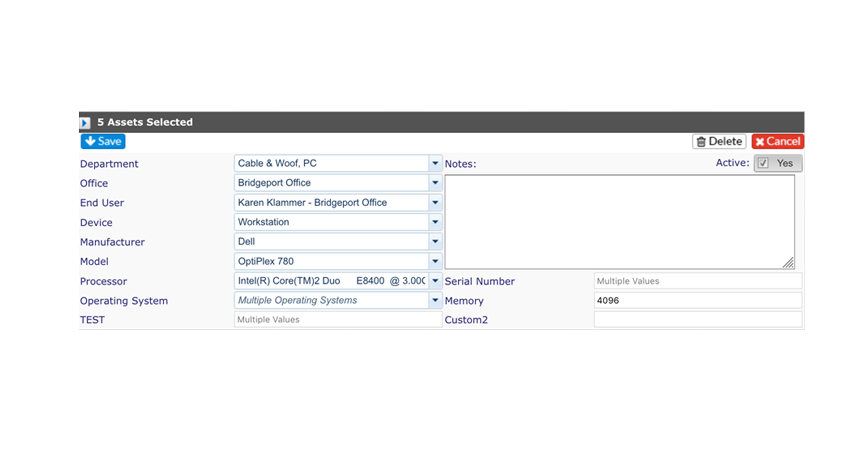
Assets - Multi Asset Edit
You can also Multi Edit assets from the same Search result, making updates to any Asset information a far smoother and faster process.
November 2018
> New Features > Asset Management - Multi Asset Logging
November 2018
> Self Service Interface Updates > Granularity Controls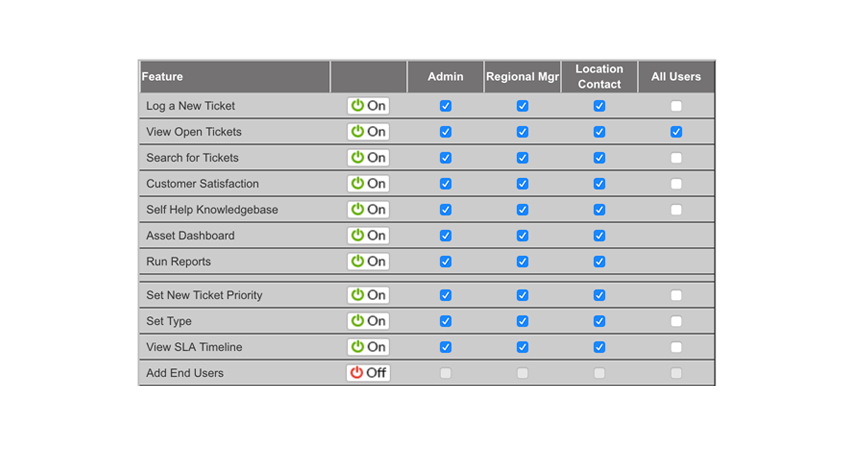
Configuration is now more granular and allows for Regional Manager and Location Contact views, giving those end users more insight into their areas. The Asset dashboard can now been made available to Self Service users and automatically trims the information to the user level.
November 2018
> Self Service Interface Updates > Granularity Controls
November 2018
> Feature Enhancements > Ticket Status By Team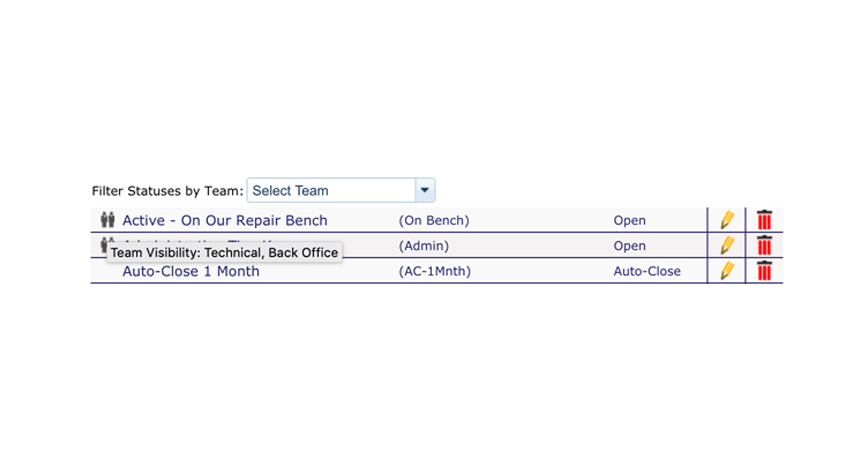
You can now configure your Ticket Statuses by Team so different Teams can see different Statuses.
November 2018
> Feature Enhancements > Ticket Status By Team
November 2018
> Feature Enhancements > Ticket Type Levels - Override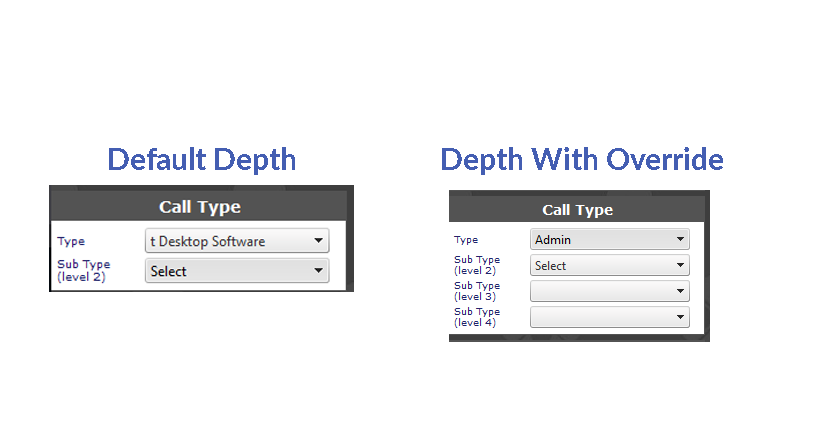
You can now select to have Ticket Types override the system default depth. If you use two levels as a rule, you can now have a Ticket Type which can go to four levels while the rest remain at two.
November 2018
> Feature Enhancements > Ticket Type Levels - Override
November 2018
> Feature Enhancements > Multiple Location or Project Contacts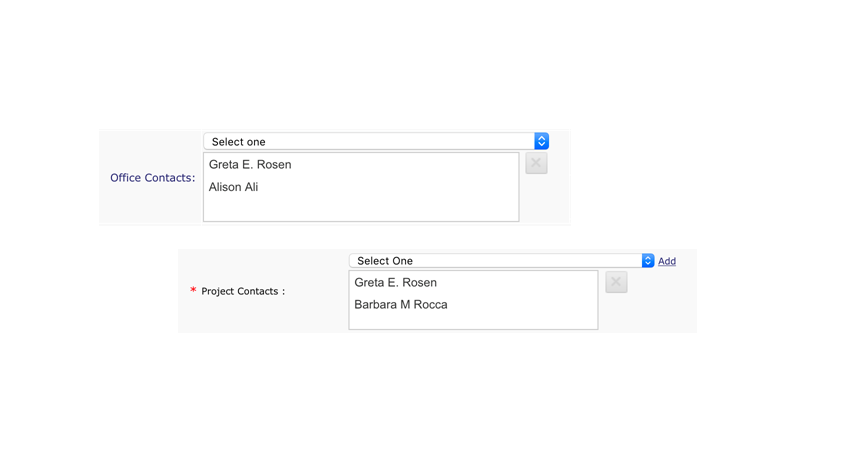
You can now add multiple Project or Location Contacts for an Project or Office who will each receive any applicable alerts.
November 2018
> Feature Enhancements > Multiple Location or Project Contacts
 STOP!
STOP!
Are you an advanced user? if so, we've created these
powerful advanced features to make your life more exciting.
if you are excited enough
move along.

November 2018
> Advanced Features > Mimic Accounts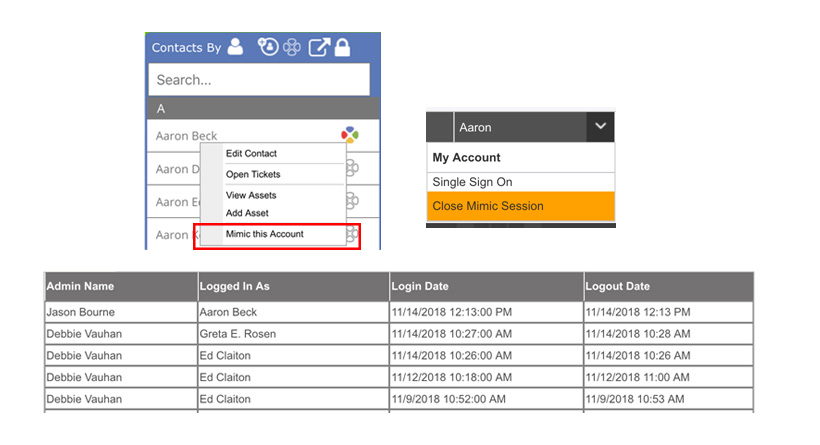
Mimic Accounts
This new capability allows Super Admins to mimic the accounts of other users. Of course, when allowed, there is an audit log.
November 2018
> Advanced Features > Mimic Accounts