May 2018 Update
Microsoft 365 True-Sync
Email Enhancements
- Securing Outbound Email
- New System Notification Options
- Use Email Templates to Send From Search
Feature Enhancements
- Pop-out Ticket Monitor
- Escalation Updates
- Dashboard Updates
- Self Service Interface
- Custom Forms
- Less Scrolling
- Multi Edit Update


May 2018
> Microsoft 365 True-Sync
Microsoft 365 True-Sync
If you haven't synced with Microsoft 365 yet, why not?
May 2018
> Email Enhancements > Securing Outbound Email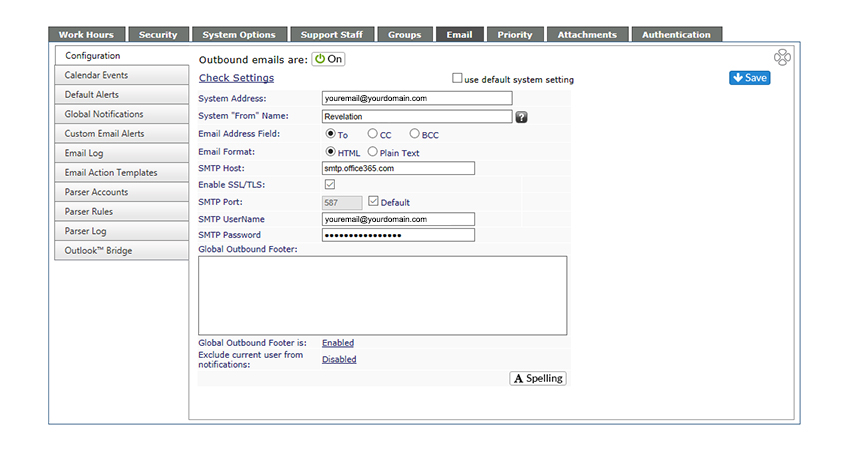
Securing Outbound Email
For additional security of your Revelation helpdesk information, all outbound email must now be authenticated.
May 2018
> Email Enhancements > Securing Outbound Email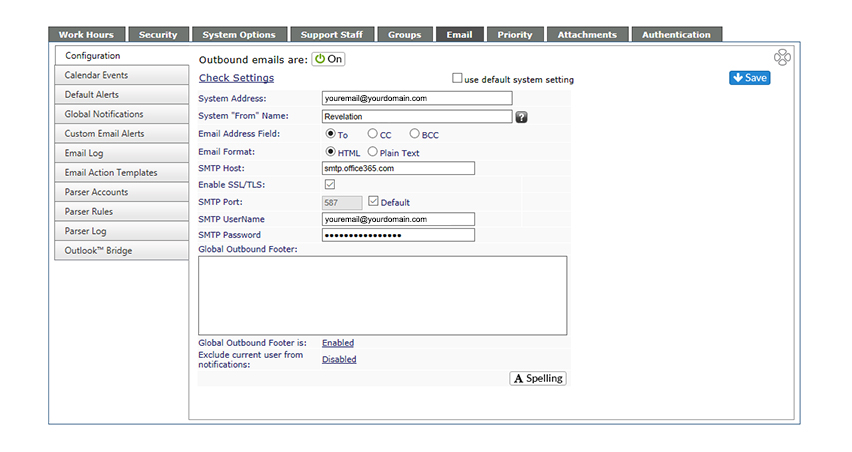
May 2018
> Email Enhancements > New System Notification Options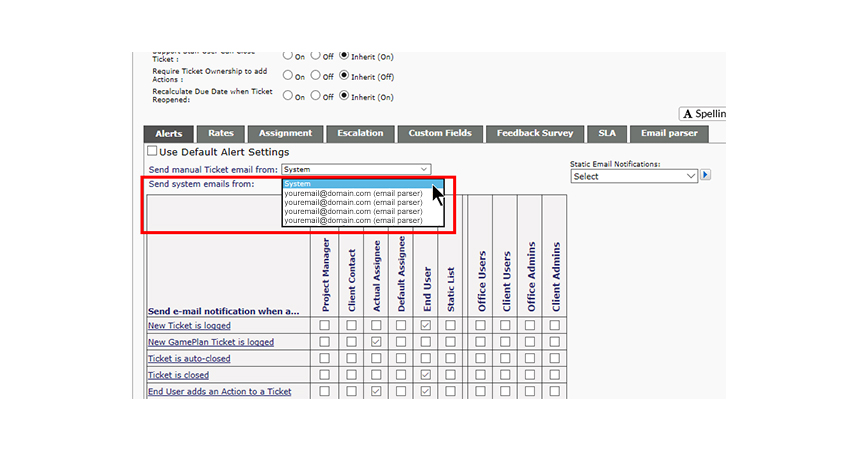
New System Notification Options
You can now send system emails from different email addresses within the same project using authenticated parser accounts.
May 2018
> Email Enhancements > New System Notification Options
May 2018
> Email Enhancements > Use Email Templates to Send From Search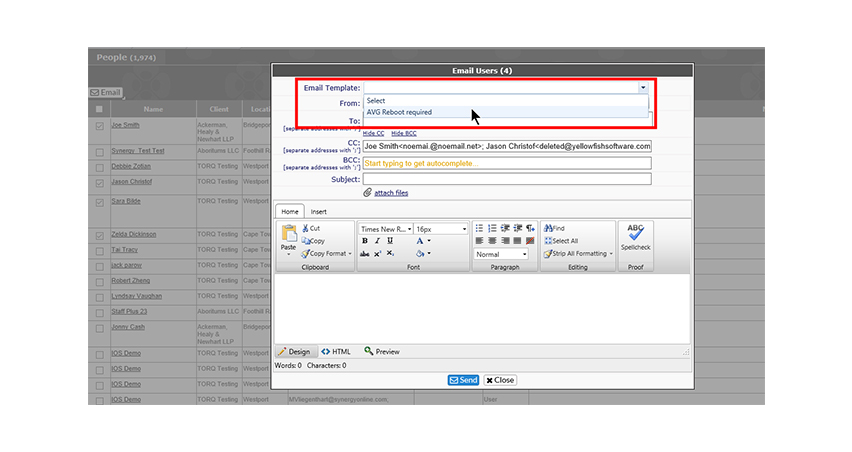
Use Email Templates to Send From Search
You can now use standard email templates to send to users by selecting them from a Search result.
May 2018
> Email Enhancements > Use Email Templates to Send From Search
May 2018
> Feature Enhancements > Pop-out Ticket Monitor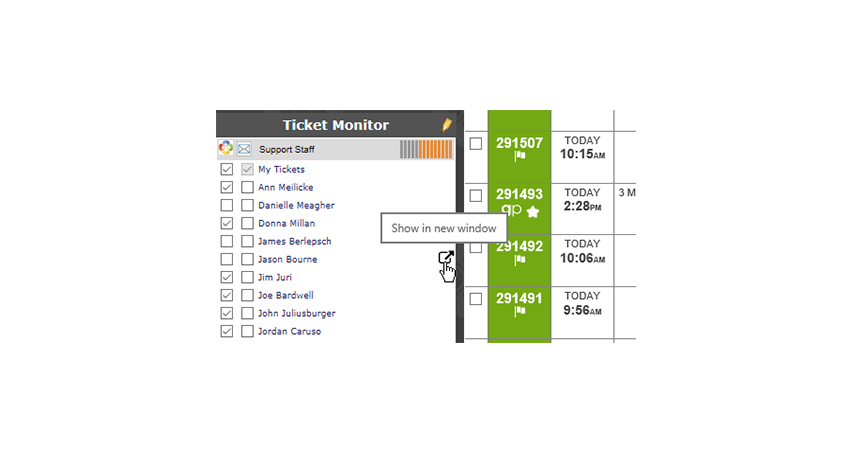
Pop-out Ticket Monitor
You can now pop out a ticket on the homepage into a new window to keep track of another user or group’s tickets.
May 2018
> Feature Enhancements > Pop-out Ticket Monitor
May 2018
> Feature Enhancements > Escalation Updates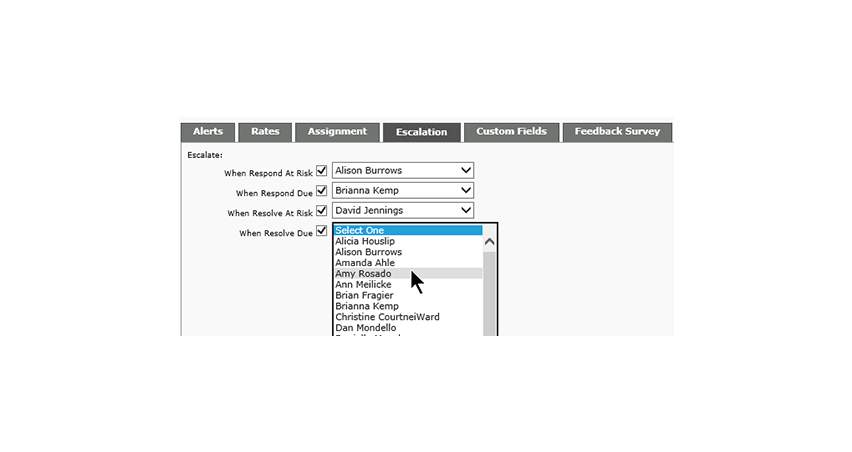
Escalation Updates
You can now configure additional escalations for Response and Resolve at a project level. When SLA's are active and set
May 2018
> Feature Enhancements > Escalation Updates
May 2018
> Feature Enhancements > Dashboard-Right click to edit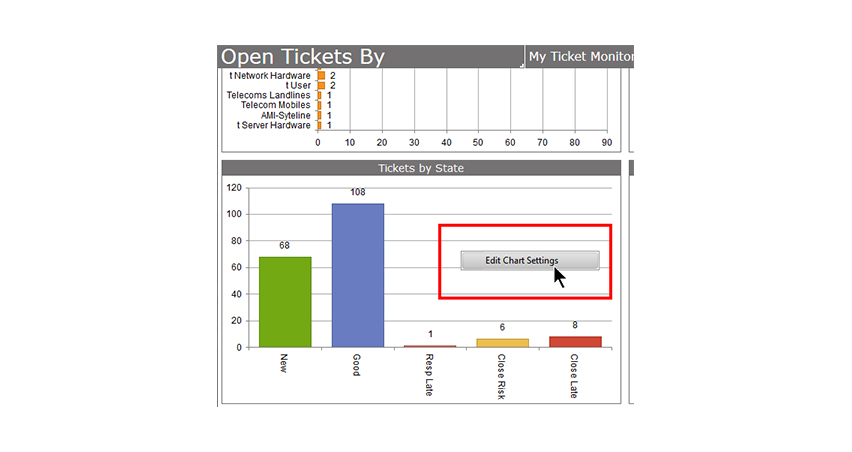
Dashboard-Right click to edit
You can now right click on any dashboard item to go to the edit screen.
May 2018
> Feature Enhancements > Dashboard-Right click to edit
May 2018
> Feature Enhancements > Dashboard – Open-Closed-Both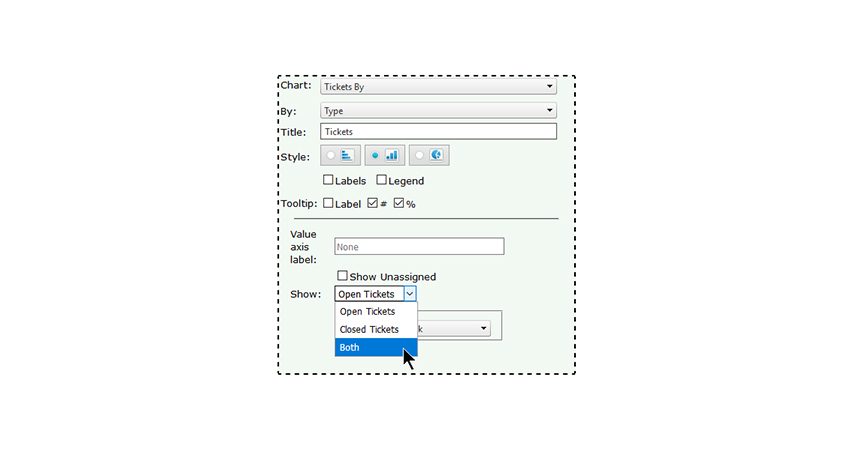
Dashboard –
Open-Closed-Both
You can now choose between open, closed or both on the Tickets By chart. The timeline range has more options, including Last Week and Last Month.
May 2018
> Feature Enhancements > Dashboard – Open-Closed-Both
May 2018
> Feature Enhancements > Self Service Interface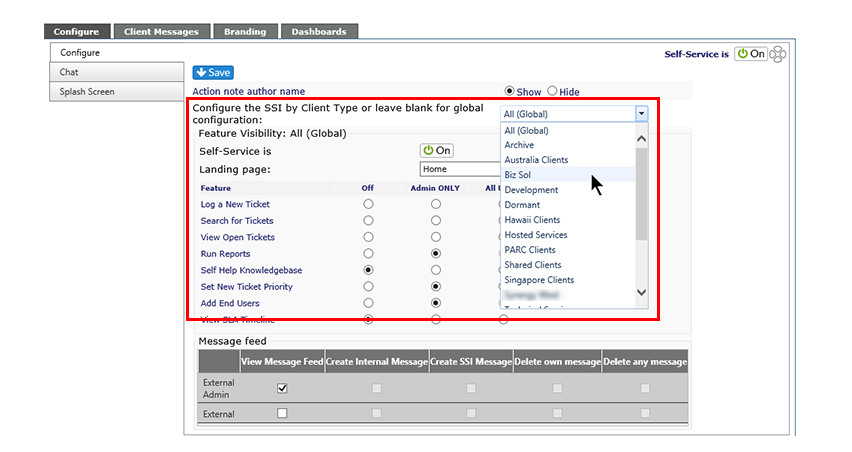
Self Service Interface
You can now configure the Self Service Interface to show different features for different types of clients.
May 2018
> Feature Enhancements > Self Service Interface
May 2018
> Feature Enhancements > Custom Forms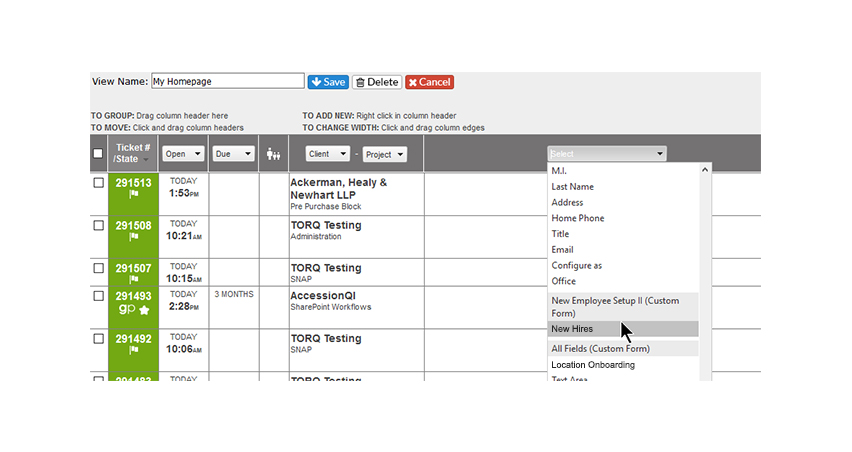
Custom Forms
Use Custom Forms? You can now add selected fields to your home page or search result views.
May 2018
> Feature Enhancements > Custom Forms
May 2018
> Feature Enhancements > Less Scrolling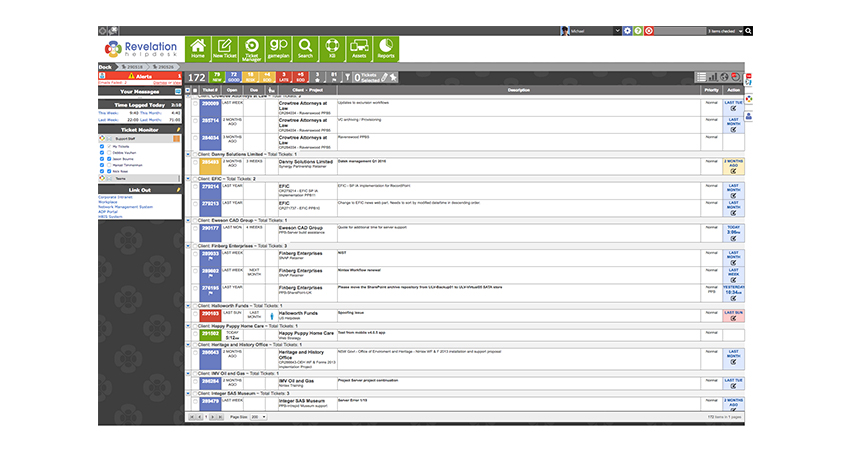
Less Scrolling
When you return to the home page after working on a ticket, Revelation now remembers where you were on the homepage after working on a ticket.
May 2018
> Feature Enhancements > Multi Edit Update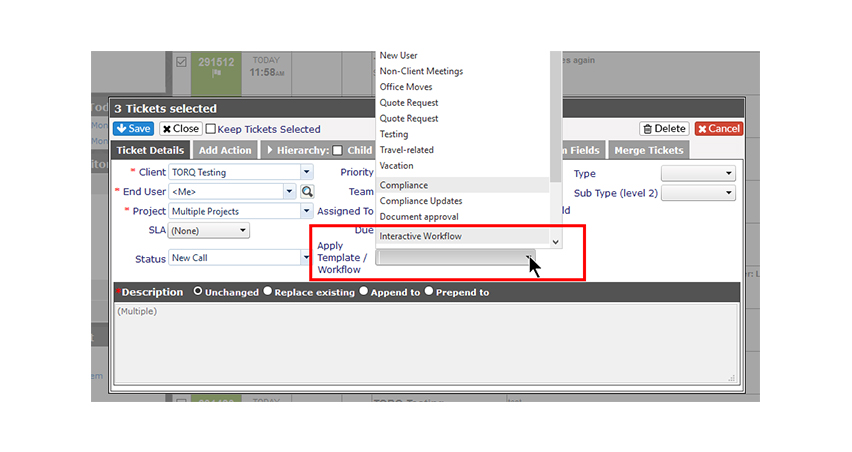
Multi Edit Update
You can now apply workflows or templates to multiple open tickets using Multi Edit.
May 2018
> Feature Enhancements > Multi Edit Update