September 2018 Update
New Features
- Burger Navigation
- Focus Icon
- Associated Contacts
- Bulk Ticket Logging
- Regions
Feature Enhancements
- KBase Link Update
Advanced Features
- Compliance Controls
- Multi-Edit for Users and Assets
- Patterns


November 2018
> New Features > Burger Navigation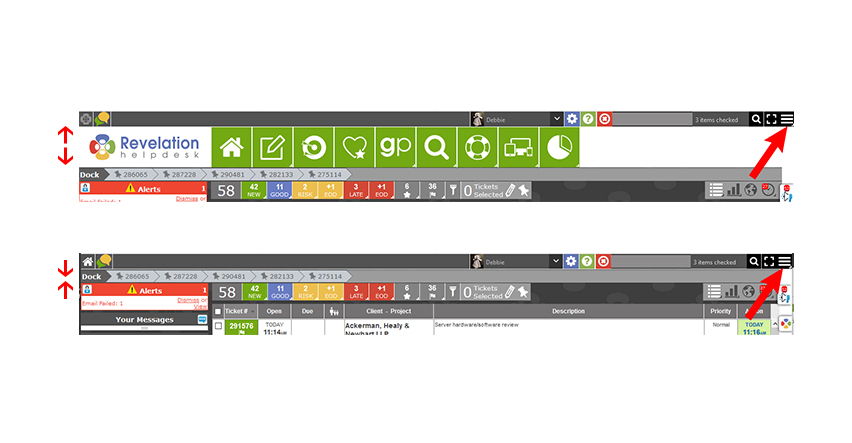
Burger Navigation
You can now hide (or show) the main navigation bar. Right click on the ‘burger’ to get full access to all the nav controls and place it on the left or right side of the screen. Your preference.
September 2018
> New Features > Burger Navigation
September 2018
> New Features > Burger Navigation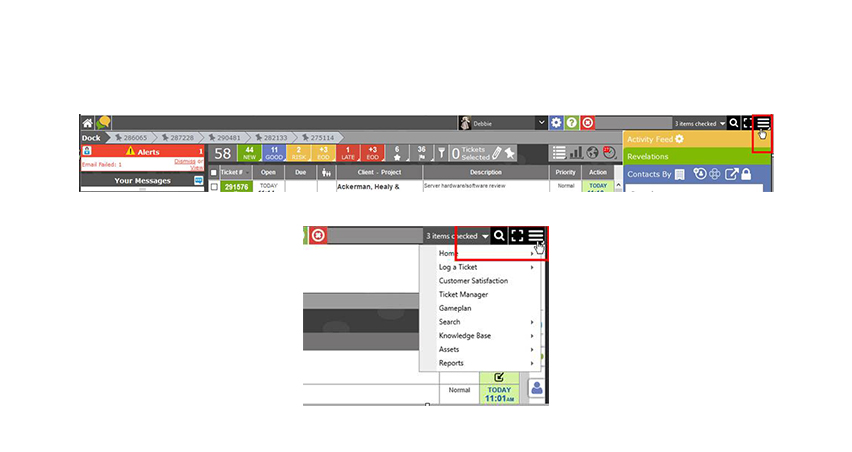
September 2018
> New Features > Focus Icon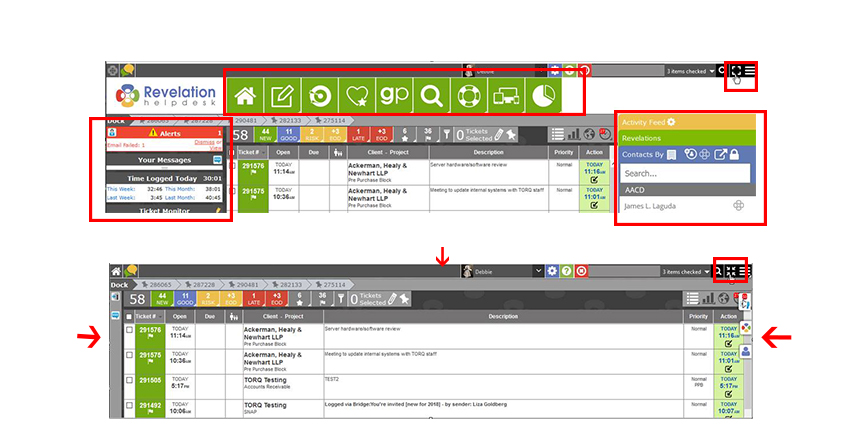
Focus Icon
Introducing our one-click ‘focus’ icon. Open and close the Navigation and Left and Right Column bars (as applicable) for a fuller more ‘focused’ view.
September 2018
> New Features > Focus Icon
September 2018
> New Features > Bulk Ticket Logging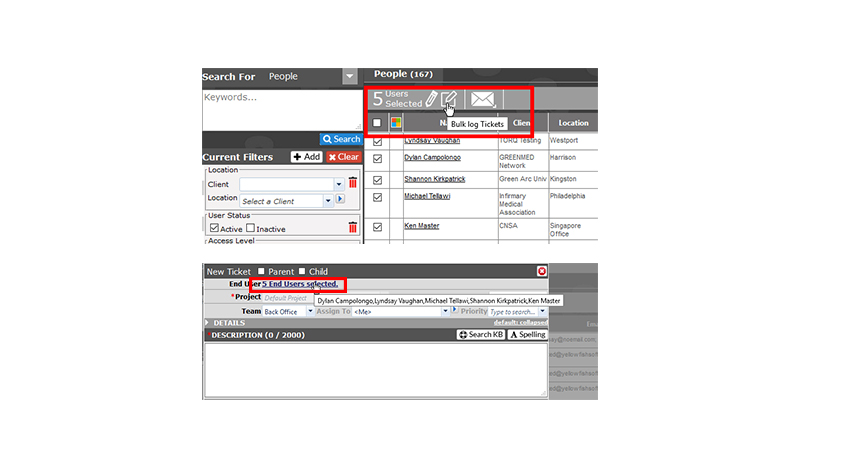
Bulk Ticket Logging
Bulk Ticket logging allows you to log tickets to multiple users/clients at the same time for the same issue.
September 2018
> New Features > Bulk Ticket Logging
September 2018
> New Features > Associated Contacts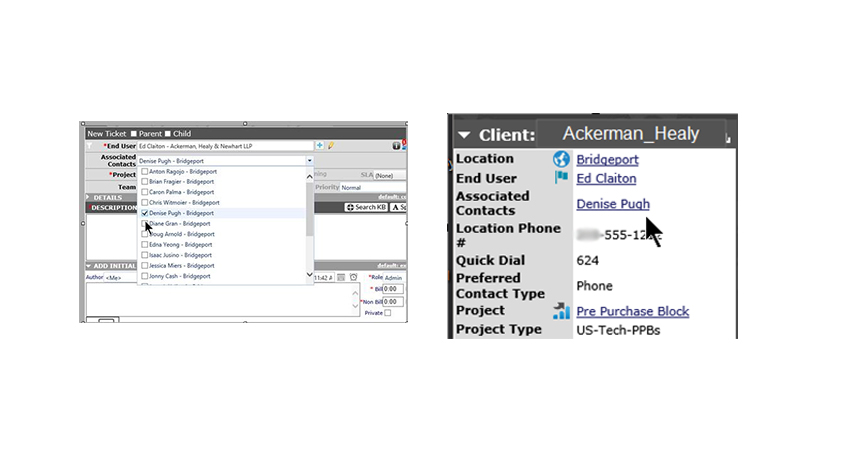
Associated Contacts
Introducing the ability to associate additional end user contacts to tickets. Once associated, they can interface with the ticket through the Self Service Interface, or receive email notifications based on your system settings.
September 2018
> New Features > Associated Contacts
September 2018
> New Features > Regions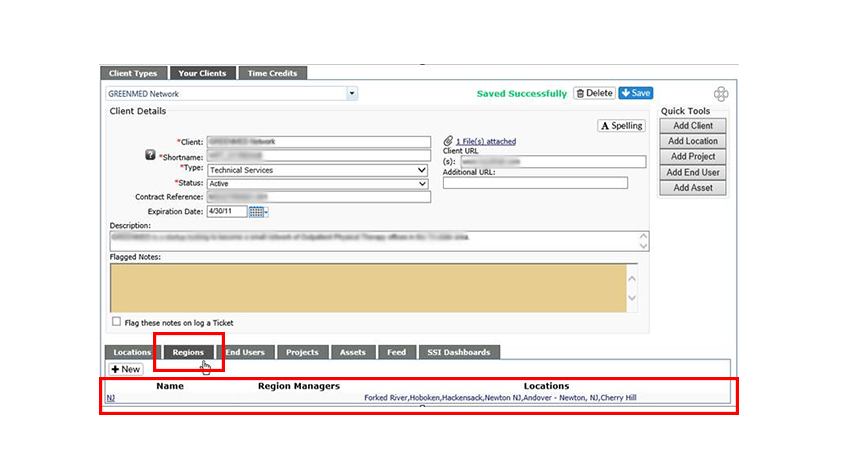
Regions
You can now roll up your customer locations into regions and assign regional managers, allowing more refined ticket access via the Self Service Interface.
September 2018
> New Features > Regions
September 2018
> New Features > Regions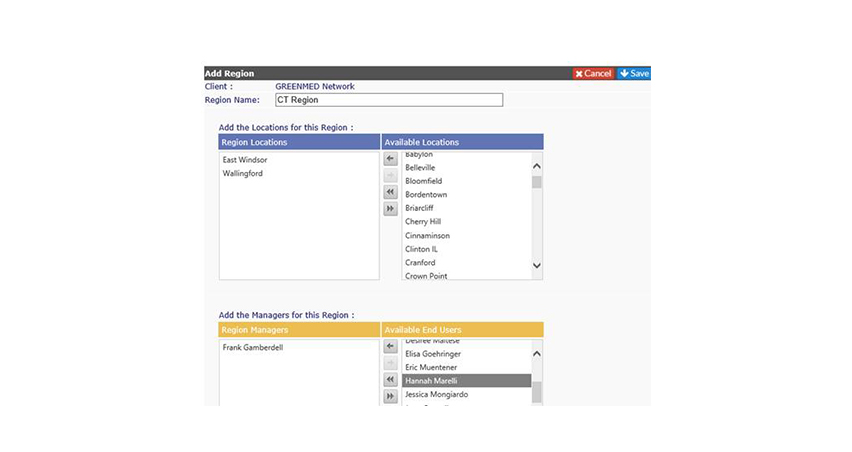
September 2018
> Feature Enhancements > KBase Link Update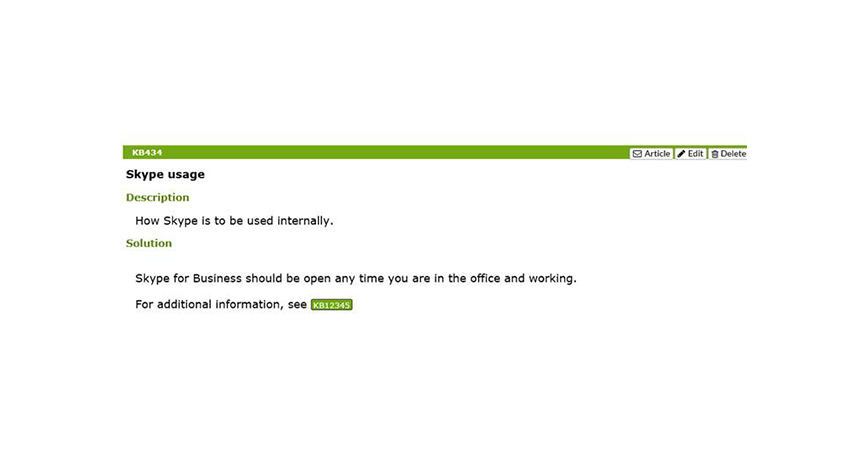
Knowledge Base Link Update
You can now link Knowledge Base articles to one another.
September 2018
> New Features > KBase Link Update

 STOP!
STOP!
Are you an advanced user? if so, we've created these
powerful advanced features to make your life more exciting.
if you are excited enough
move along.

September 2018
> Advanced Features > Compliance Controls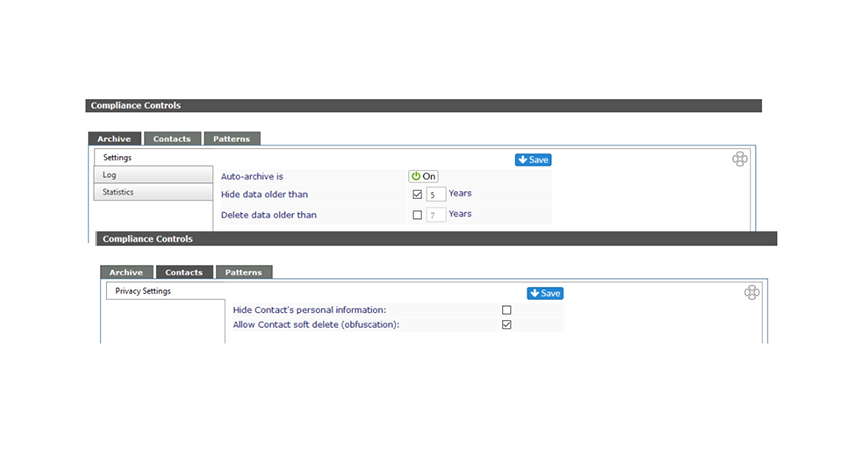
Compliance Controls
Introducing a selection of compliance oriented controls for Super Admins. You can now choose to archive or delete system data based on age. You can choose to obfuscate inactive user data and remove personal information fields.
September 2018
> Advanced Features > Compliance Controls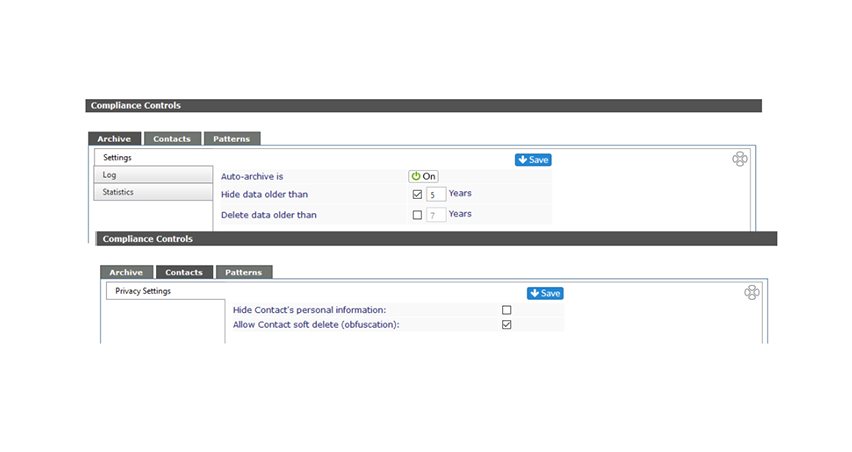
September 2018
> Advanced Features > Patterns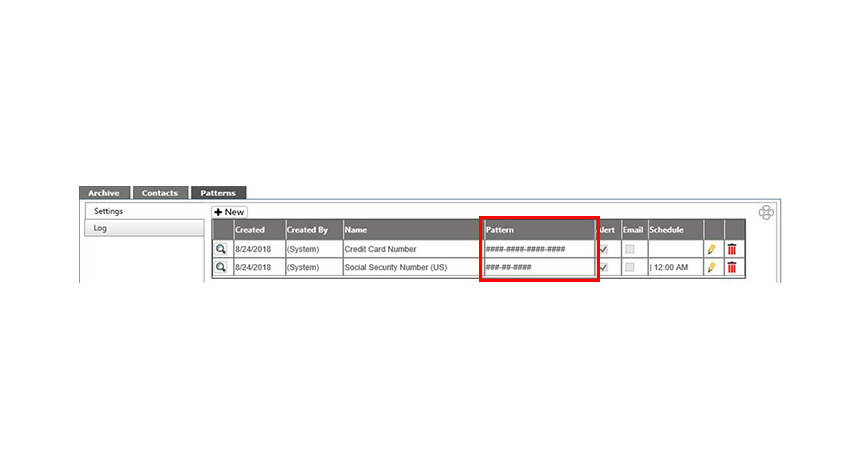
Patterns
You can now setup scheduled audits to search for configurable data patterns within the system. Admins will be alerted for any matching data. Examples include Social Security numbers or credit card data that may be in tickets within the system.
September 2018
> Advanced Features > Patterns