April 2019 Update
Revelation Contacts for Outlook
Slices
- Chart Types and surfacing options
- Formatting Options
- Preview and Pop-Out
- Building New Slices
- Custom Filters
- Print View
New Branding Options
Self Service Enhancements
- New Information Options When Logging A Ticket
- Better Service Level Communication Options
Usability Enhancements
- Full Screen email editor
- Grouping Quick Notes


April 2019
> Revelation Contacts for Outlook
Revelation Contacts for Outlook
Introducing our latest Add-in for Outlook*. You can now access your Revelation Contacts data without ever leaving your email. The app will automatically show you any matching contact information when you select an email and can also be used to search Revelation Contacts system wide. Install it today
*Works with Microsoft 365 and Outlook 2013 and newer
April 2019
> Revelation Contacts for Outlook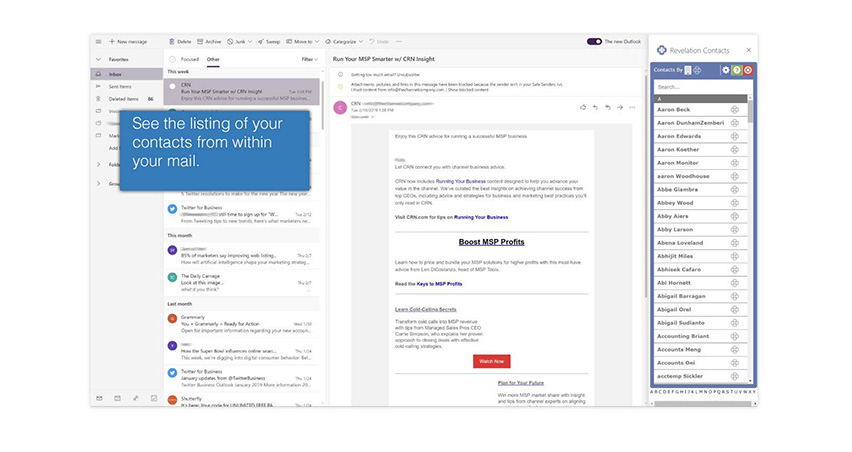
April 2019
> Slices
Introducing Slices
A leap forward in Revelation’s Data Visualization feature-set.
This update to our Dashboarding feature is the largest update since Dashboards were released.
Build a better Dashboard - Introducing Slices.
April 2019
> Slices > New Chart Types and Surfacing Options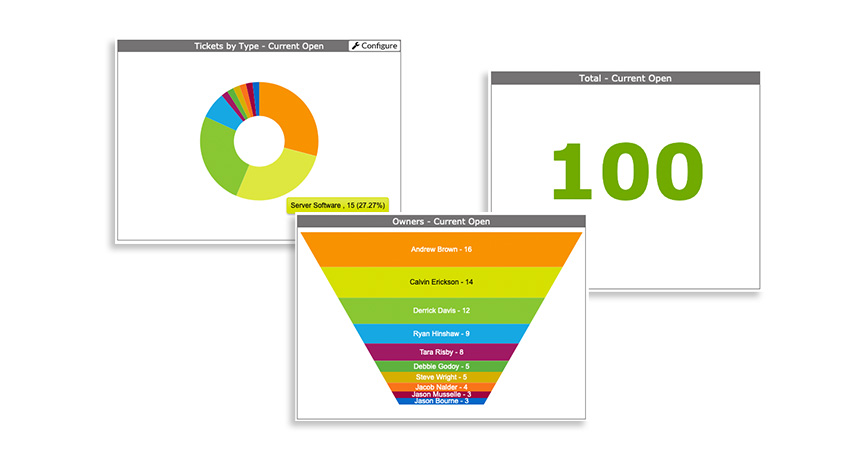
New Chart Types and Surfacing Options
New ways to show data include the donut, funnel and totals chart types.
New slices include:
- Ticket Trend by Client / Location / End User/ Type / Team / Project Type / Priority / Client Type / Region / Source
- Rich text box for custom content
- CSAT chart to see ratings by Client / Project / Office / End User / Ticket Closer
April 2019
> Slices > New Chart Types and Surfacing Options
April 2019
> Slices > New Formatting Options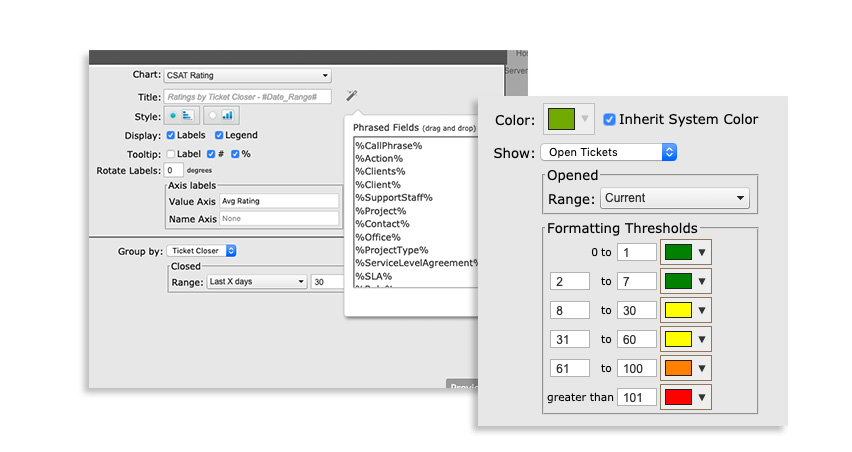
New Formatting Options
Add Axis Labels, Format threshold colors and use your own system phrases.
Each slice can now be visually formatted to suit your needs.
April 2019
> Slices > New Formatting Options
April 2019
> Slices > Preview and Pop-Out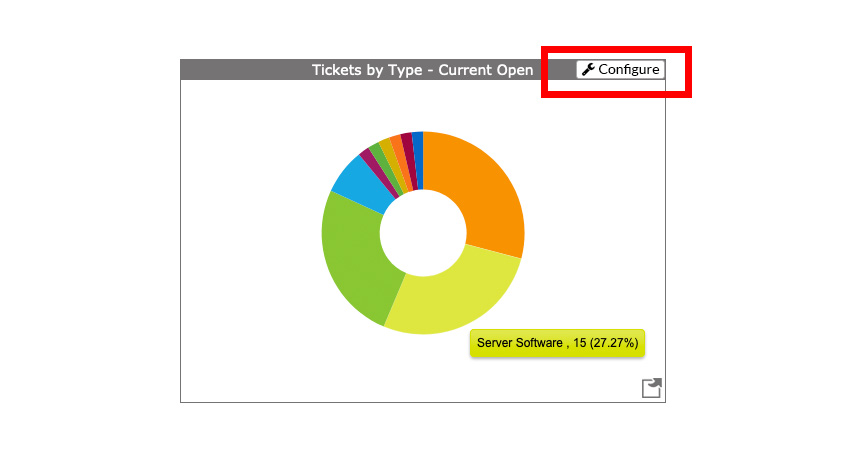
Preview and Pop-Out
You can now edit specific slices on screen and preview your changes in real time.
Also, you can Pop-Out a specific data-slice anytime.
April 2019
> Slices > Preview and Pop-Out
April 2019
> Slices > Preview and Pop-Out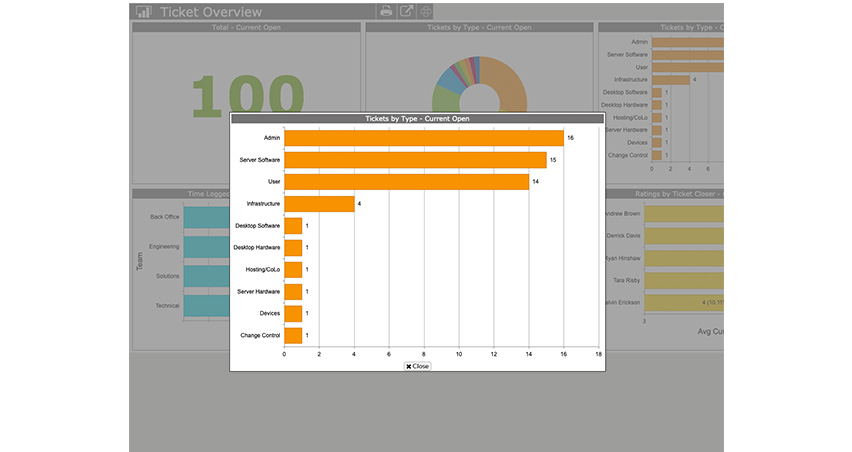
April 2019
> Slices > Building New Slices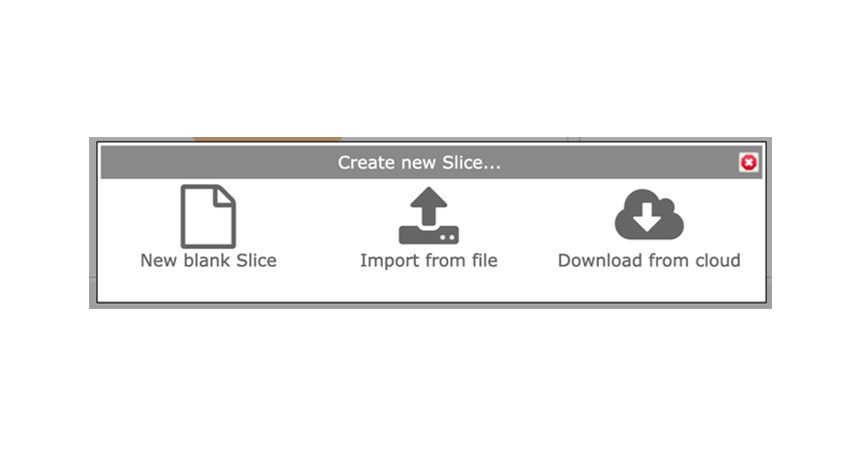
Building New Slices
You can build slices from scratch; import from a file or download from our cloud catalog.
April 2019
> Slices > Building New Slices
April 2019
> Slices > Cloud Catalog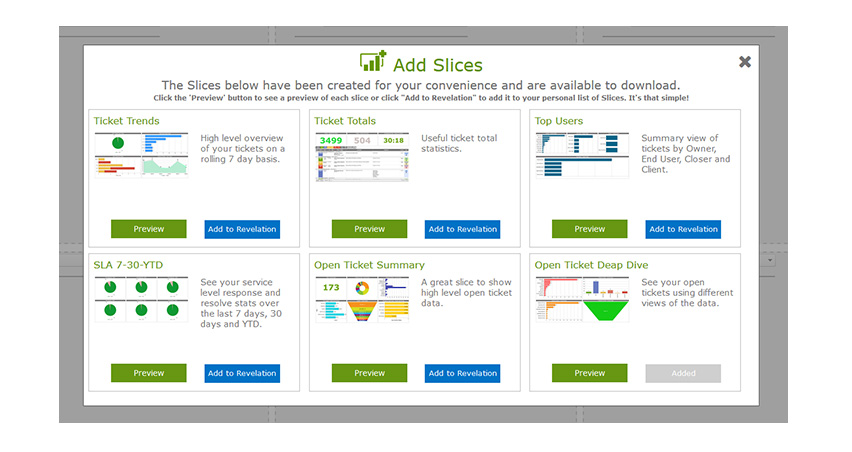
April 2019
> Slices > Custom Filters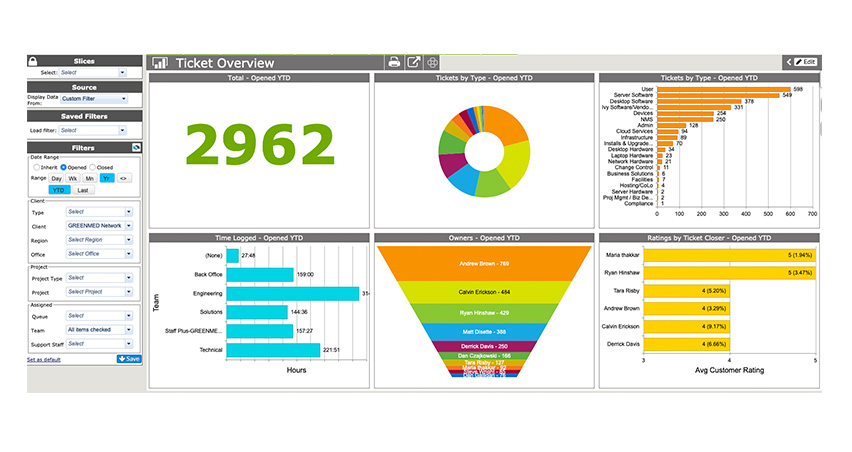
Custom Filters
You can now take your dashboards and slice them based on whatever custom filters you like, including the ability to override any built-in date ranges.
Save your custom filters for quick access.
April 2019
> Slices > Custom Filters
April 2019
> Slices > Print View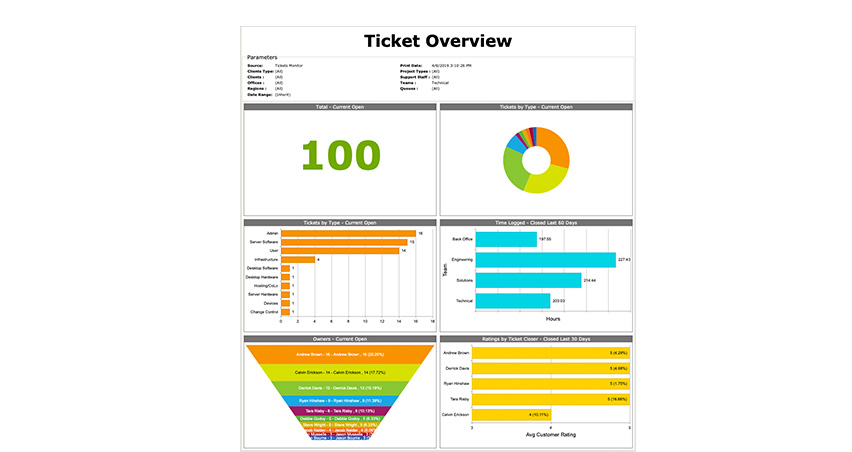
Print View
If you ever need to print your slice, Revelation will format it for you with the new Print View option.
April 2019
> Slices > Print View
April 2019
> New Branding Options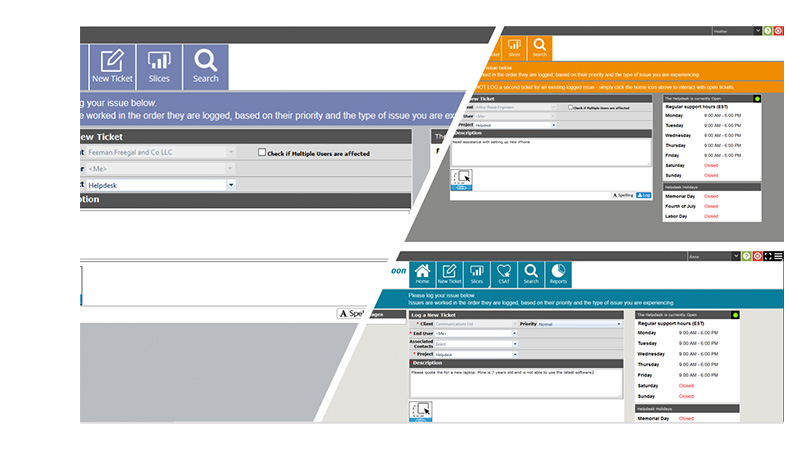
New Branding Options
You can now custom brand Revelation internally by Team, or Externally by Customer Type or Individual Customer. In all cases, you can select unique Logos, Nav color and Background color. This ‘White Labeling’ brings a new level of personalization.
April 2019
> New Branding Options
April 2019
> Self-Service enhancements > New Information Options when Logging a Ticket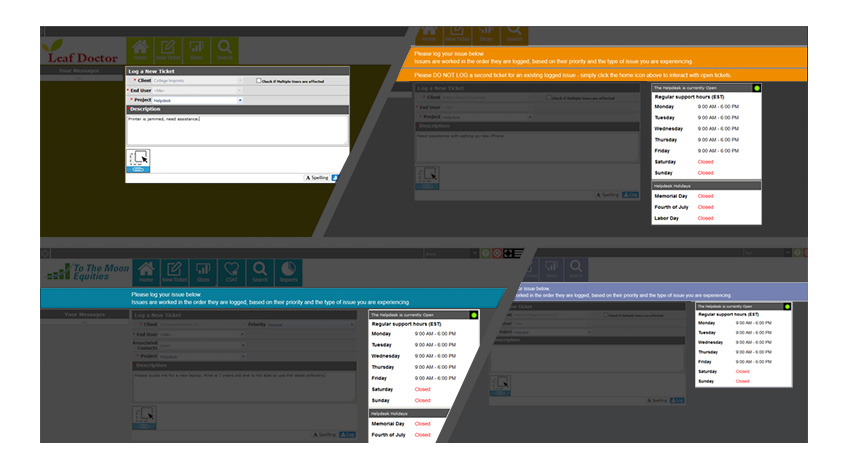
You can now add information banner/s to the Log a Ticket screen and select to show your working hours and upcoming holidays. These controls are granular, so you can configure different views by customer if you wish.
April 2019
> Self-Service enhancements > New Information Options when Logging a Ticket
April 2019
> Self-Service enhancements > Better Service Level Communication Options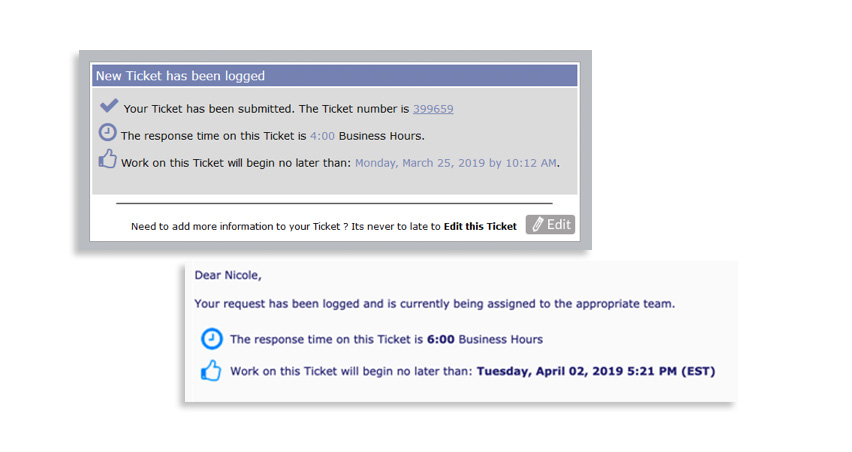
We have added new controls to better allow you to communicate your service levels to your customers. This information can be delivered directly via the Self-Service portal or by email when a new ticket is logged. In all cases, it is driven automatically based on your service levels.
April 2019
> Self-Service enhancements > New Information Options when Logging a Ticket
April 2019
> Usability Enhancements > Full Screen Email Editor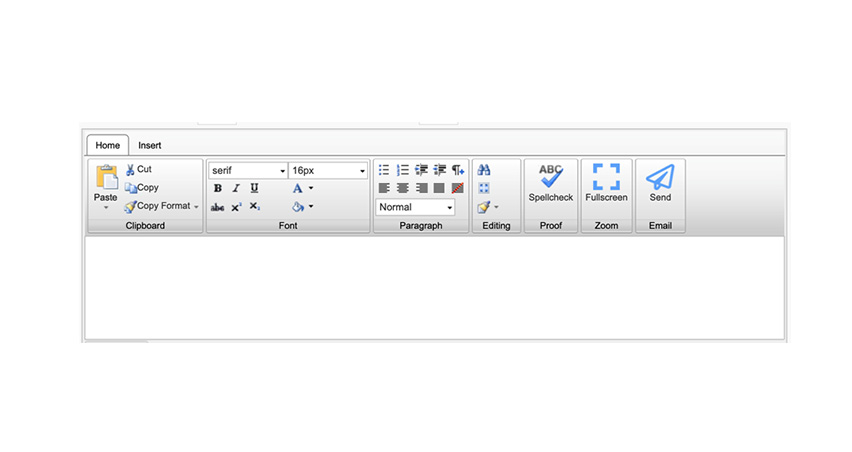
Full Screen Email Editor
When composing an email within a ticket, you can choose to full screen the Email Editor.
April 2019
> Usability Enhancements > Full Screen Email Editor
April 2019
> Usability Enhancements > Grouping Quick Notes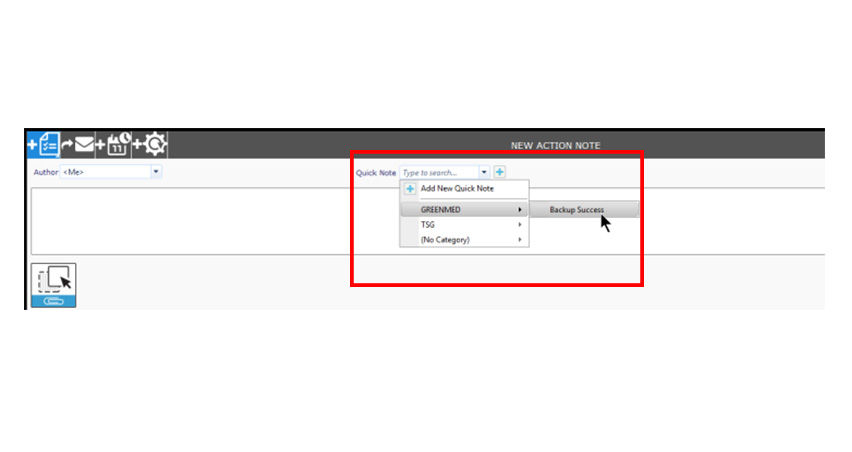
Grouping Quick Notes
You can now better organize your Quick Notes into groups for clarity.
April 2019
> Usability Enhancements > Grouping Quick Notes