July 2019 Update
Welcome to the Summer 2019 Customer Appreciation Release
90% of the new features and enhancements in this release were suggestions and recommendations from our active customer community.
Thank you!

July 2019 Update
New Features
Better Support for HTML formatting
- In tickets
- Outbound Email
- Knowledge Base
Auto-Sync Profile Images
Enhancements
- Slices
- Customer Satisfaction
- Quick Search
- Ticket Status
- Self Service
- Timesheet View
- Saved Searches
- Knowledge Base

July 2019
> Full HTML Ticket Support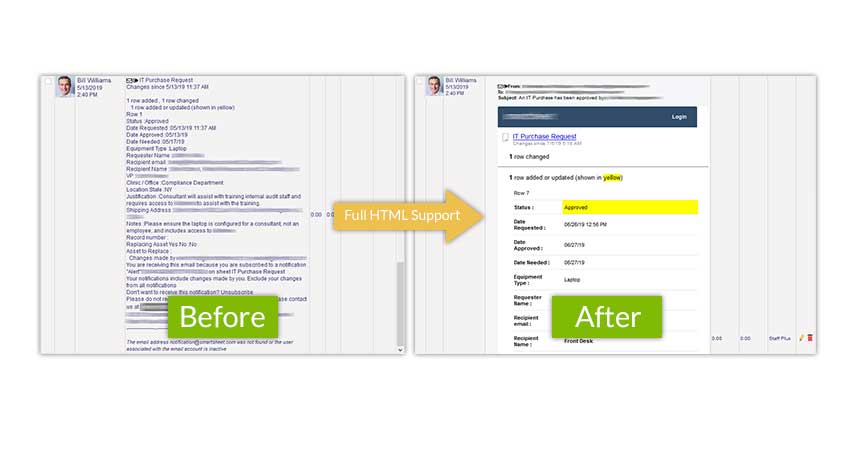
Full HTML Ticket Support
HTML content is now fully supported within Tickets. Action notes now support text formatting. Also emails that come in through the Parser or Outlook Bridge will retain their HTML formatting.
July 2019
> Full HTML Ticket Support
July 2019
> Full HTML support for Outbound Email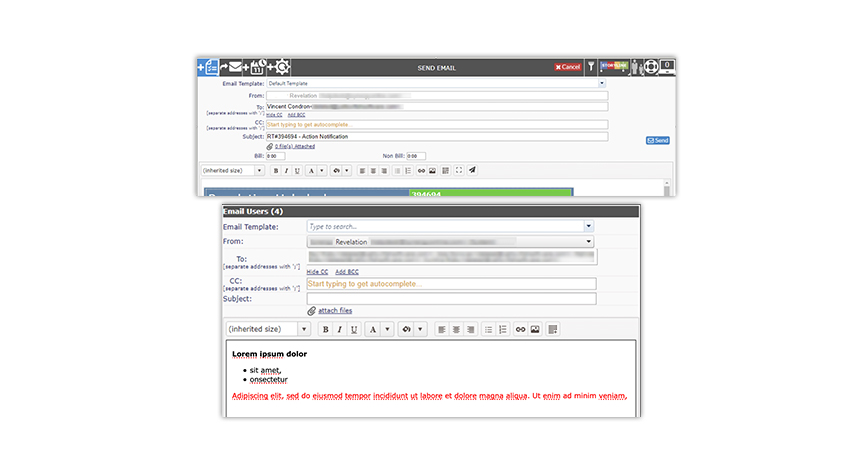
Full HTML support for Outbound Email
Text formatting support is now enabled when sending an outbound email.
July 2019
> Full HTML support for Outbound Email
July 2019
> KBASE HTML Support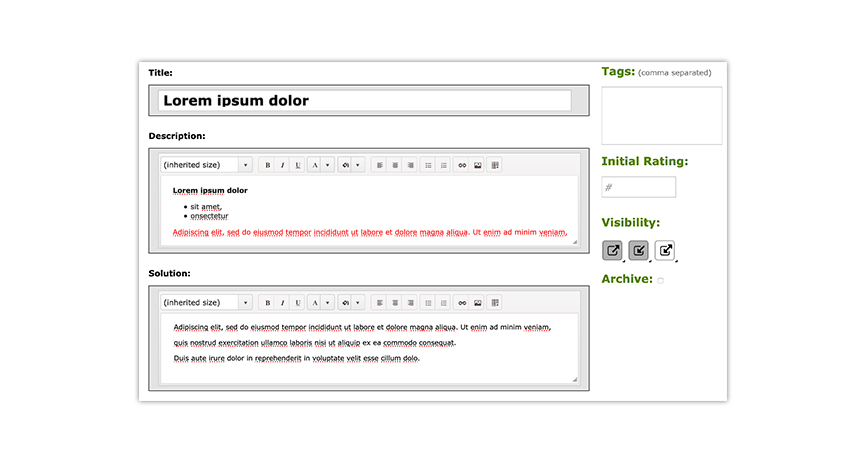
KBASE HTML Support
Knowledge Base articles now
supports text formatting.
July 2019
> KBASE HTML Support
July 2019
> Profile Images now supported when using True-Sync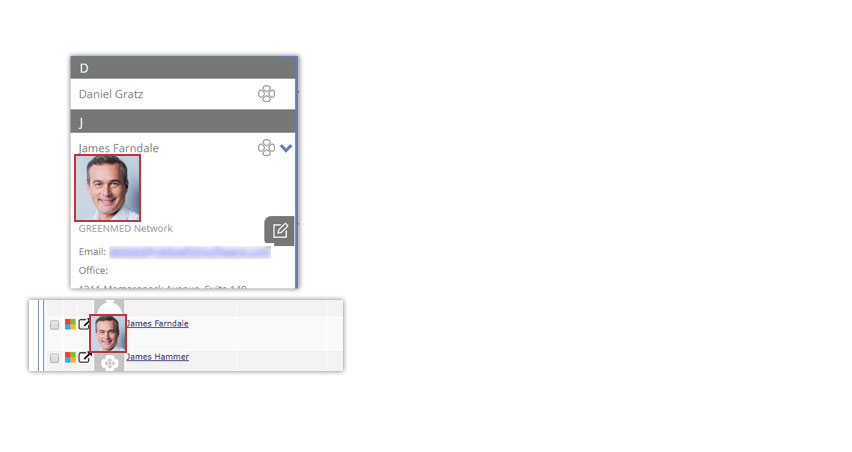
Profile Images now supported when using True-Sync
You can now configure True-Sync to import profile images automatically. End user profiles are fully supported and will appear in Contacts, User Profiles, Action notes and Search results.
July 2019
> Slices Updates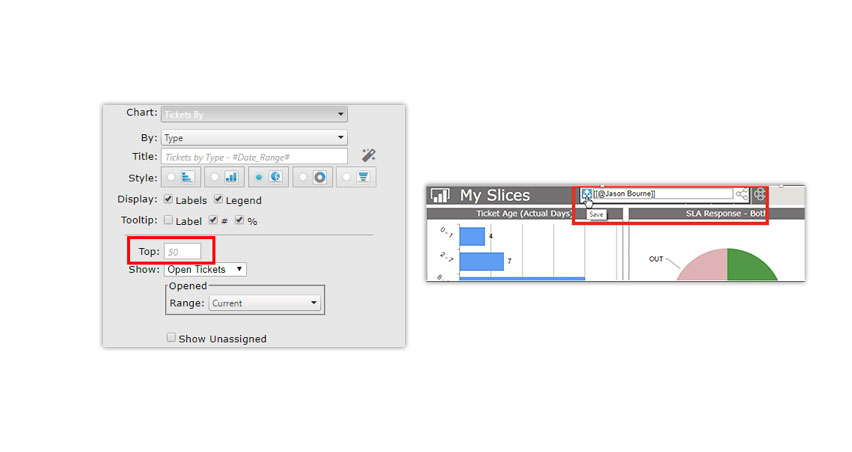
Slices Updates
There are several new
options within Slices:
- Top X items
- Last X calendar months
- Trend lines on the Trend chart
- Sharing your slices
July 2019
> Slices Updates
July 2019
> Customer Satisfaction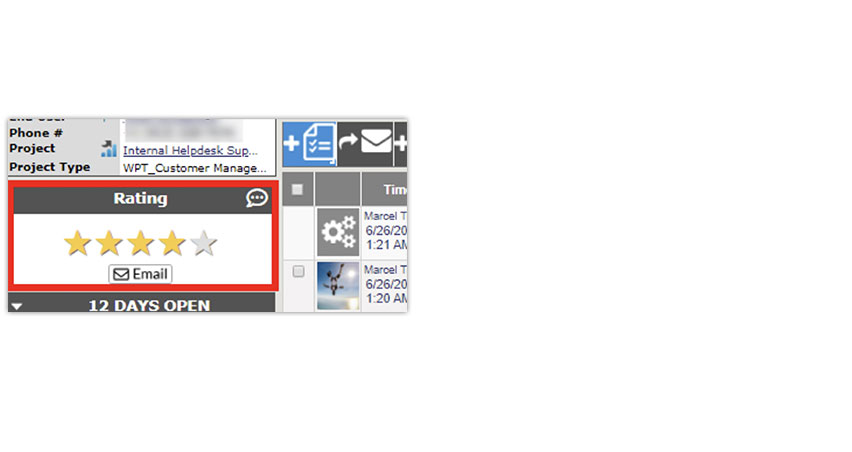
Customer Satisfaction
You can now resend a customer satisfaction rating one-time.
July 2019
> Quick Search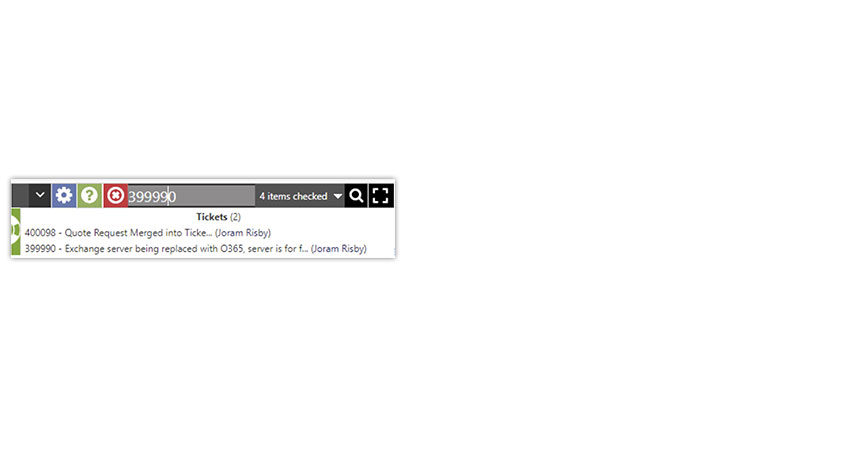
Quick Search
We have added the ability to show secondary details in your quick search results.
You can select from Client, End User, Office or Project.
July 2019
> Ticket Status Automation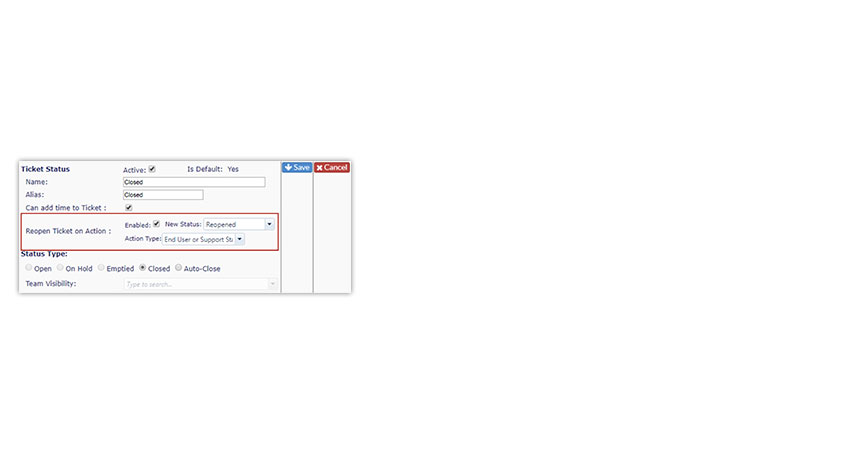
Ticket Status Automation
You can now change the
default re-open status of a ticket.
July 2019
> Self Service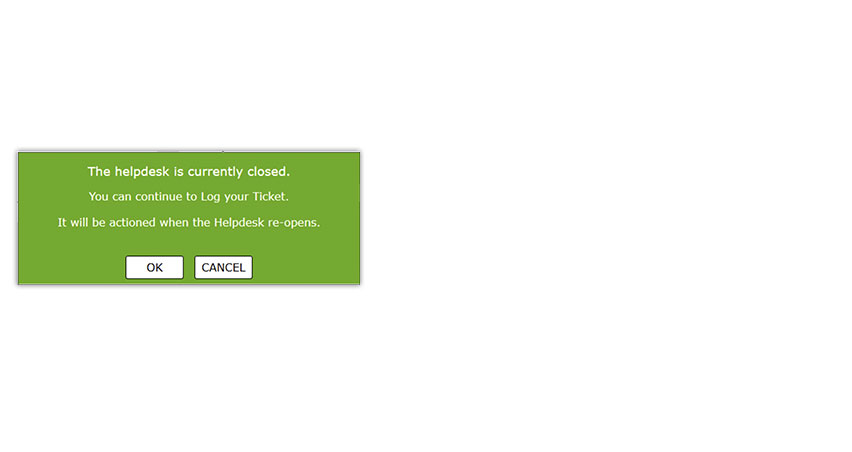
Self Service
You can now select to activate a new message pop up when customers log a ticket after hours.
July 2019
> Time Sheet View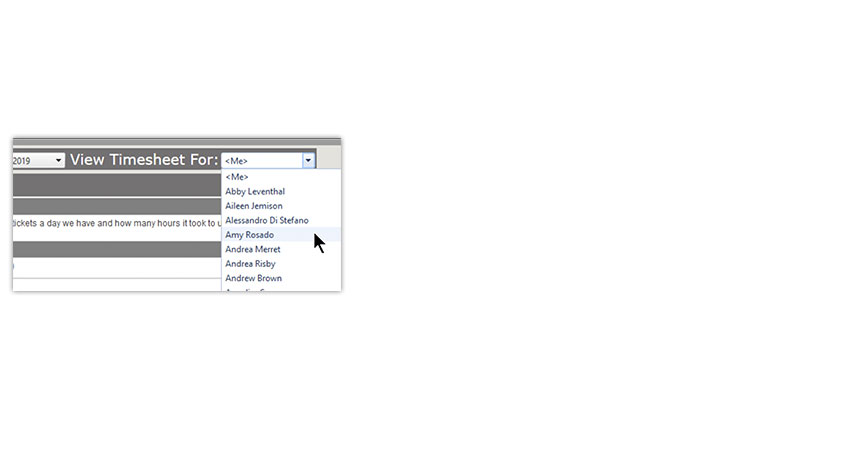
Time Sheet View
Want to add time for a teammate?
You can now use the drop down and select the staff member.
July 2019
> Saved Searches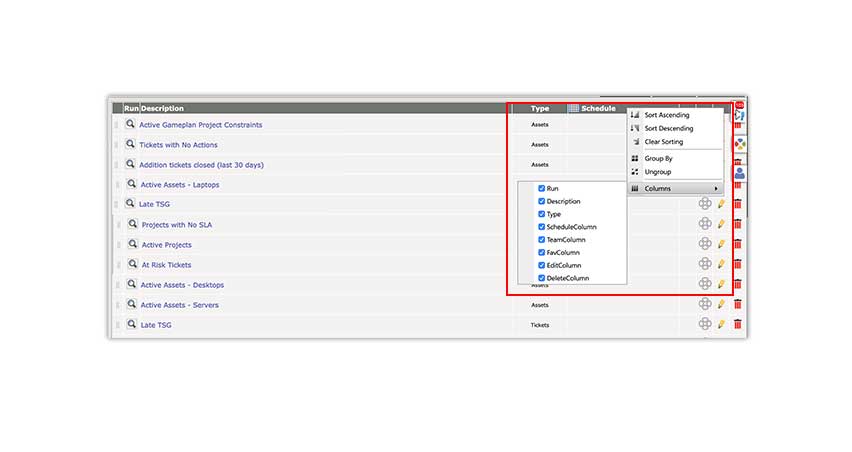
Saved Searches
You can now sort your searches
alphabetically or group them.
You can select the columns
you want to see – or not.
July 2019
> Saved Searches
July 2019
> Knowledge Base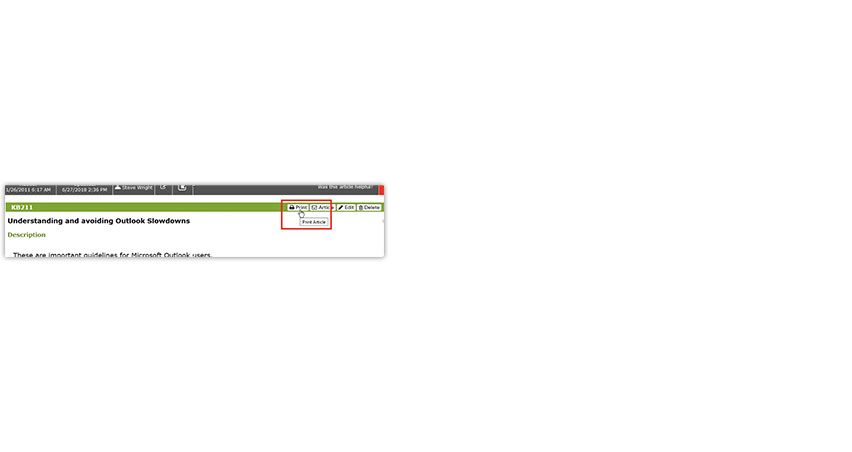
Knowledge Base
You can now print any Knowledge Base article to a PDF using
the new Print View.
July 2019
> External Links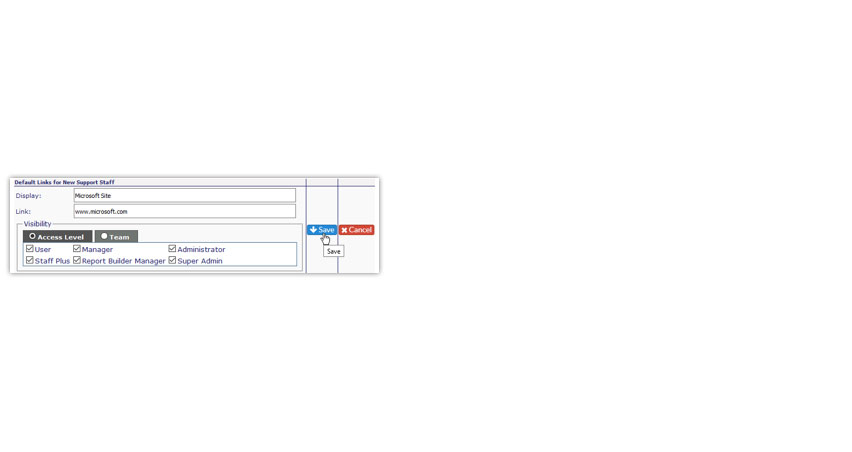
External Links
You can now set the visibility of external links by
Team or Access level.
July 2019
> Auto Pin Action Notes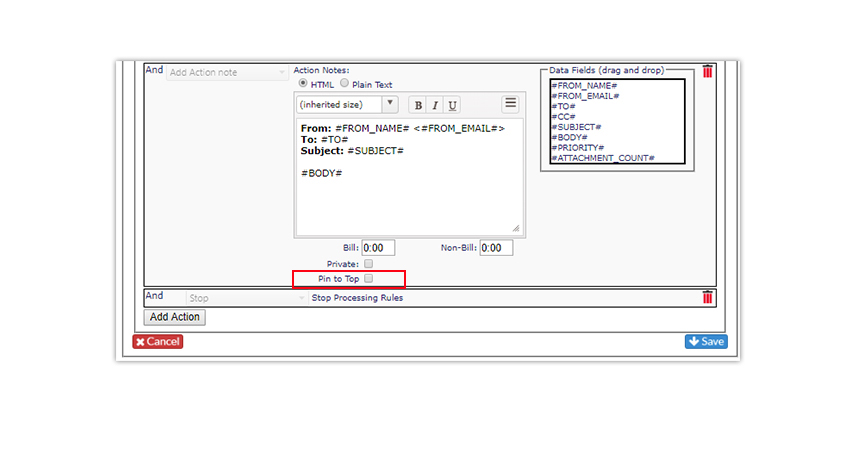
Auto Pin Action Notes
You can now configure your Parser Rules to auto pin the first action logged to a ticket.
July 2019
> Auto Pin Action Notes