October 2017 Update
What's new this month
New Features
- Paging Through Tickets
- Team Level Personalization
Asset Management Dashboard
- Asset Category Charts
- View In Search
- Personalized Assets Navigation
- Ticket Access Controls
- Permissions

October 2017
> New Features > Paging through tickets
Paging through tickets
Click the arrow next to the ticket number when in a ticket from the Home Page Grid, Pin Dock, and Search results to scroll through tickets without having to go back to the home screen.
October 2017
> New Features > Team Level personalization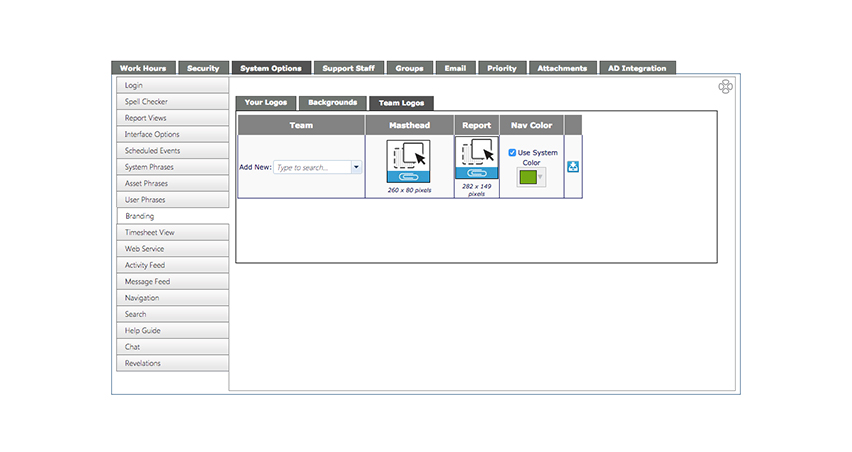
Team Level personalization
You can now personalize your teams with a custom banner logo and navigation color.
October 2017
> New Features > Team Level Personalization

October 2017
> Asset Management Dashboard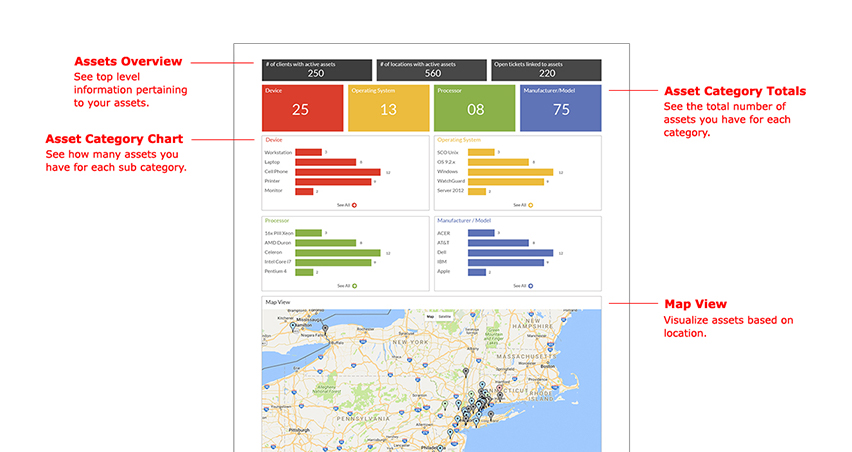
Asset Management Dashboard
Introducing data visualization surfacing to your asset data.
October 2017
> Asset Management Dashboard
October 2017
> Asset Management Dashboard > Asset Category Charts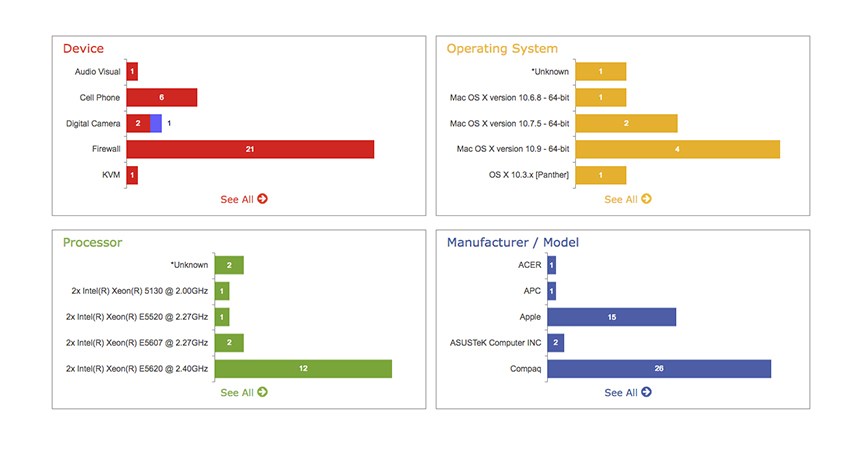
Asset Category Charts
Shows the top 5 items in each of the 4 primary asset categories.
October 2017
> Asset Management Dashboard > Asset Category Charts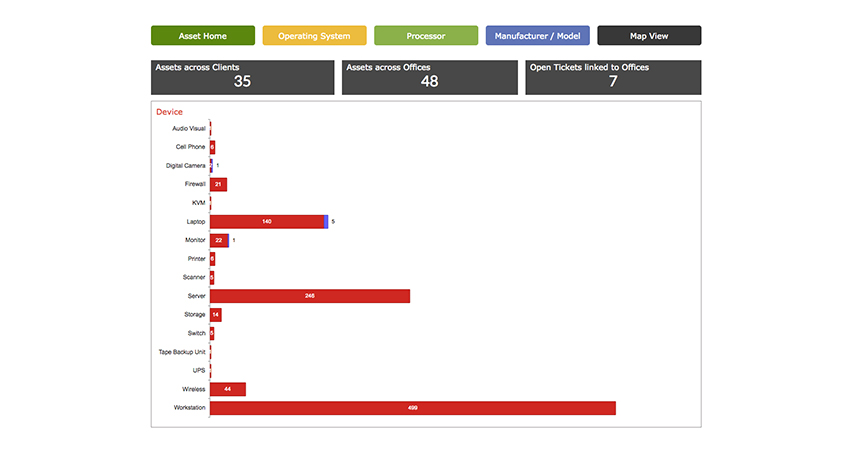
October 2017
> Asset Management Dashboard > View in search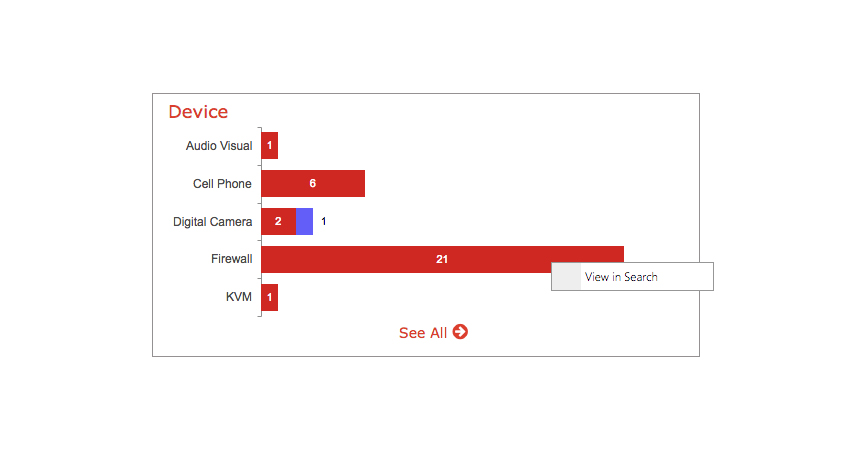
View in search
Click any bar in the graph and select "View in search" to see this section as a search result. You can also hover over the category color to see the number of items and hover over the contrasting color to see how many open tickets are linked to assets.
October 2017
> Asset Management Dashboard > View in search
October 2017
> Asset Management Dashboard > Add Assets from anywhere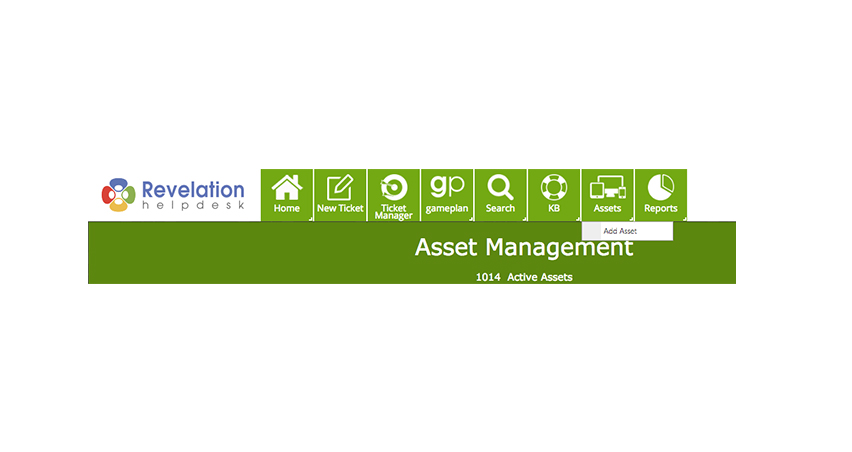
Add Assets from anywhere
You can now add assets from anywhere. Just right click the Assets navigation icon and select "Add Asset" to add a new asset.
Must have proper permissions
October 2017
> Asset Management Dashboard > Add Assets from anywhere
October 2017
> Asset Management Dashboard > Ticket State By Assets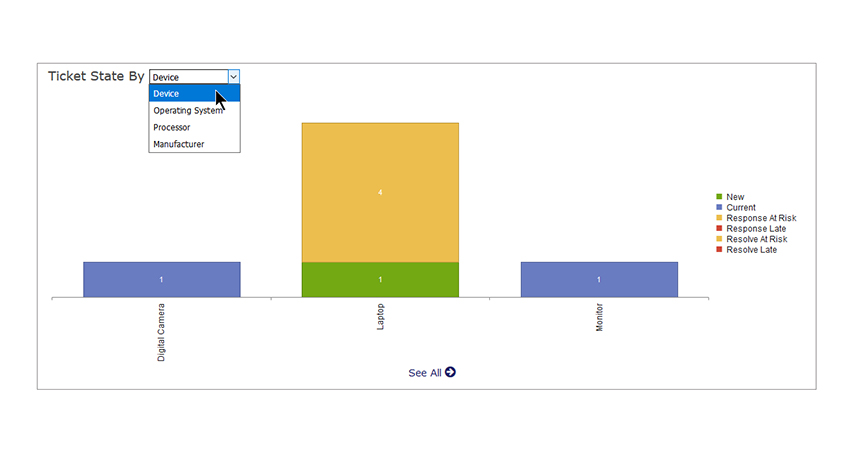
Ticket State By Assets
See open tickets linked to an asset by category.
October 2017
> Asset Management Dashboard > Ticket State By Assets
October 2017
> Asset Management Dashboard >Personalized Asset Navigation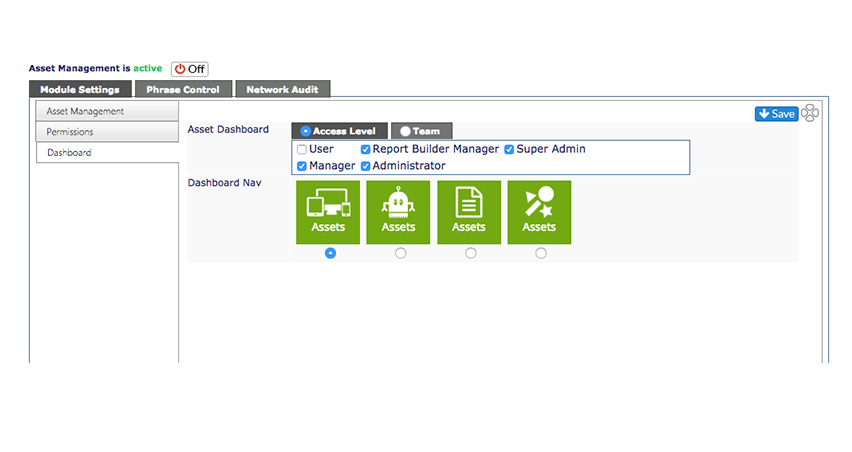
Personalized Asset Navigation
Choose the Assets icon that best suits you and your organization.
October 2017
> Asset Management Dashboard > Personalized Assets Navigation
October 2017
> Asset Management Dashboard > Ticket Access Controls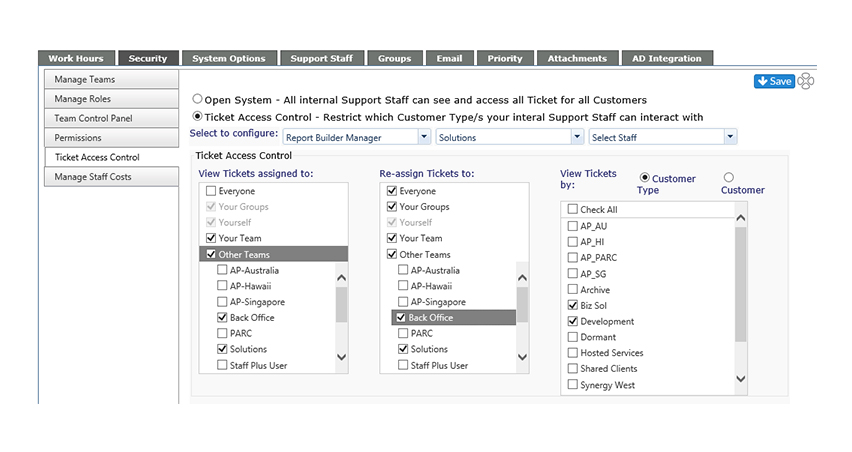
Ticket Access Controls
Control which assets your internal support staff can see.
October 2017
> Asset Management Dashboard > Ticket Access Controls
October 2017
Asset Management Dashboard > Permissions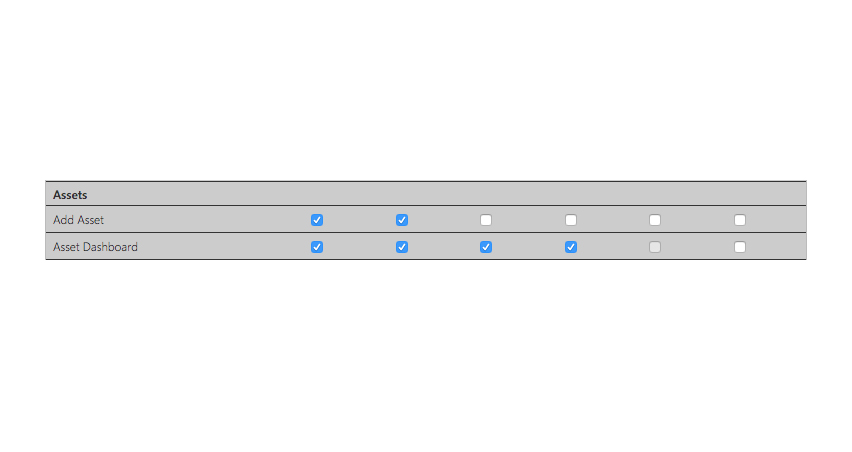
Permissions
Control your team's dashboard access.
October 2017
> Asset Management Dashboard > Permissions