November 2017 Update
What's new this month
- Personalized User Settings
- Customize Your Contact Cards
- Last Action Note UI Update
- Ticket Templates
- Scheduling Updates
- Pin Dock Update
- Mult-Edit Ticket Update
- Collapse Custom Fields
- Default System Action Icon

November 2017
> Personalized User Settings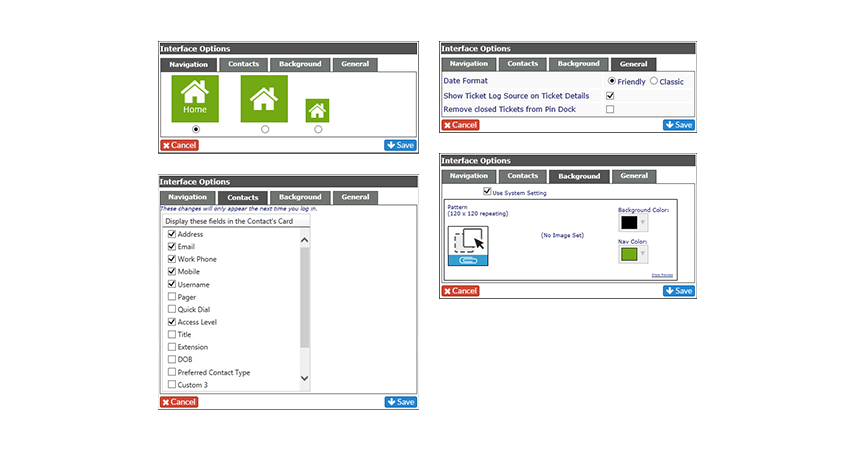
Personalized User Settings
Just as a reminder, you can update your Navigation settings, Contacts options, backgrounds, date formats, etc. from the drop down on your homepage.
November 2017
> Personalized User Settings
November 2017
> Customize Your Contact Cards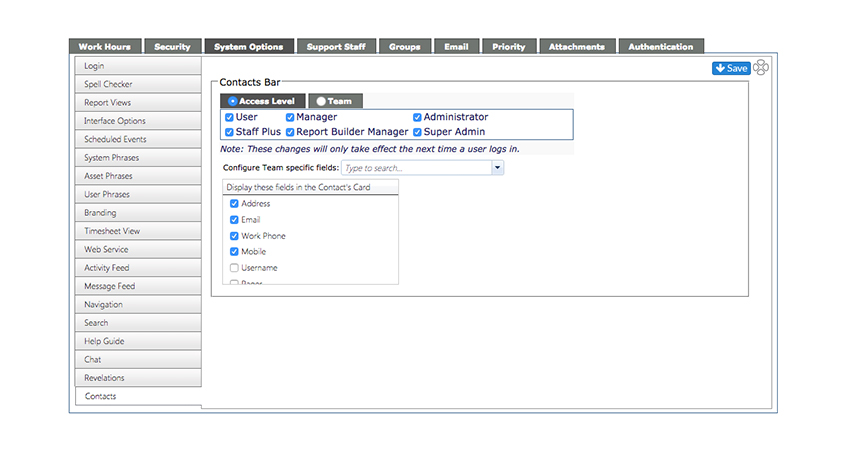
Customize Your Contact Cards
You can now manage what contact information shows in your contact cards by access level or team.
November 2017
> Contact Card Settings
November 2017
> Last Action Note UI Update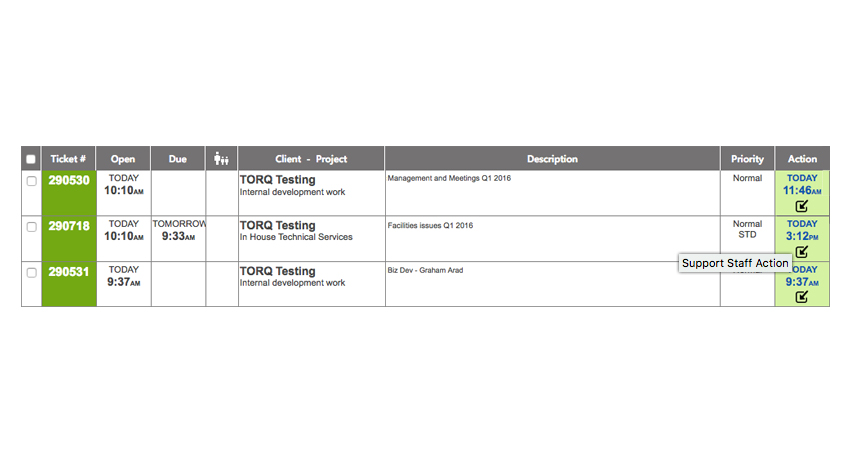
Last Action Note UI Update
The last action note has been updated with a more obvious design and now you can see if the last action was made by an internal or external user.
November 2017
> Last Action Note UI Update
November 2017
> Ticket Templates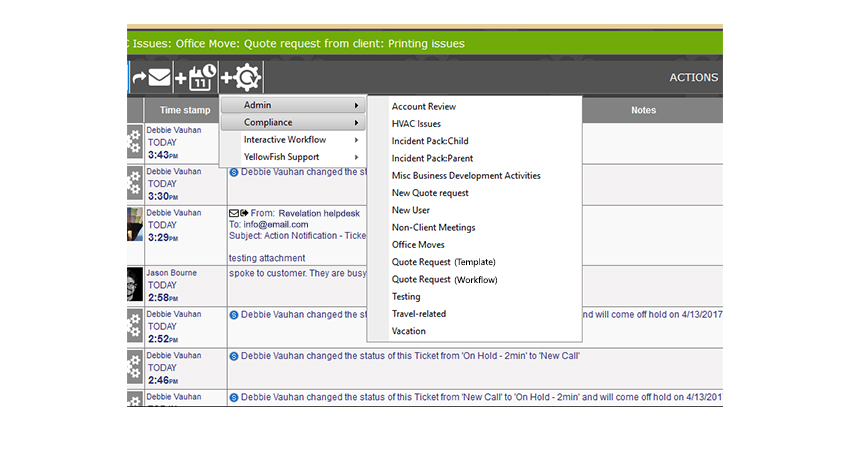
Convert an open ticket to a Ticket Template
You can now convert an open ticket to an existing template or workflow.
November 2017
> Ticket Templates
November 2017
> Scheduling Updates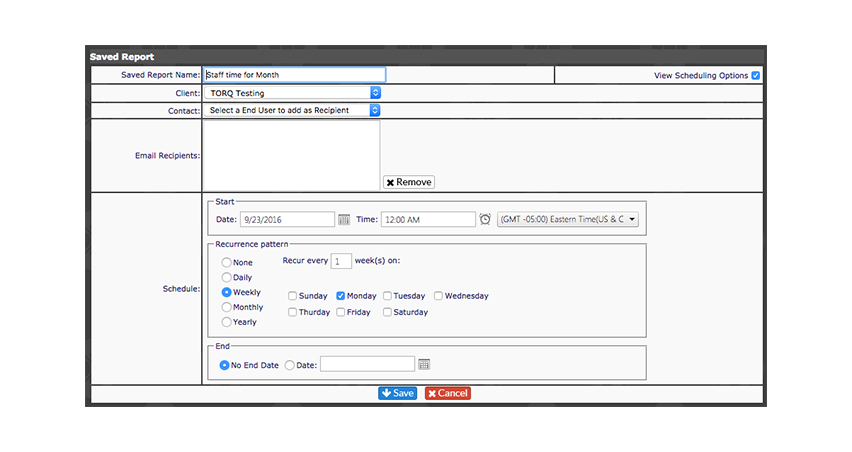
Scheduling Updates
You now have more flexibility for recurring scheduling for search results, reports, templates and workflows with a new streamlined interface.
November 2017
> Scheduling Updates
November 2017
> Scheduling Updates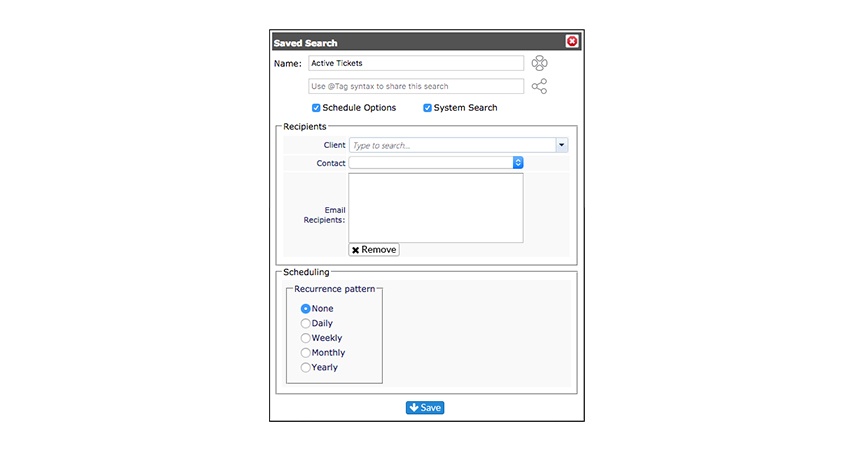
November 2017
> Pin Dock Update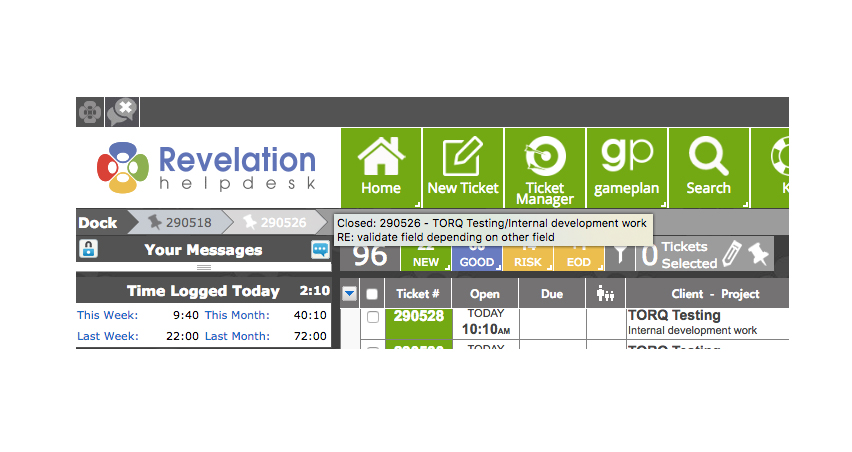
Pin Dock Update
You can now choose to keep closed tickets in your pin dock.
November 2017
> Pin Dock Update
November 2017
> Multi-Edit Ticket Update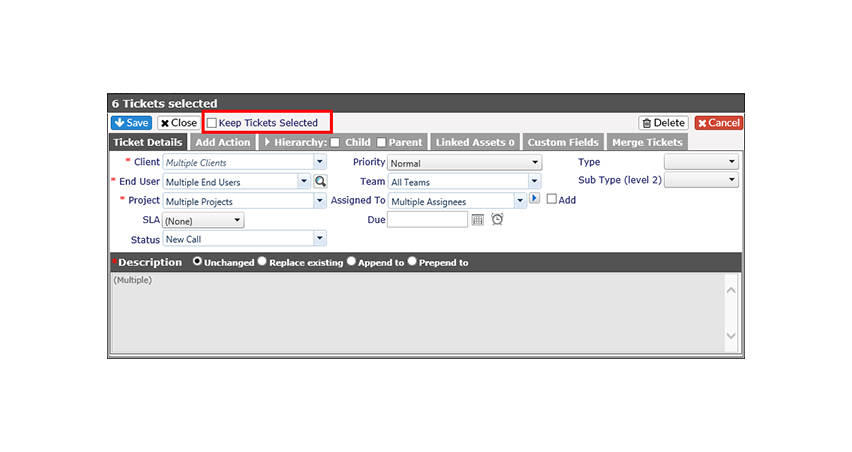
Multi-Edit Ticket Update
Enhanced multi-editing enables you to keep tickets selected when making multiple updates.
November 2017
> Multi-Edit Ticket Update

November 2017
> Collapse Custom Fields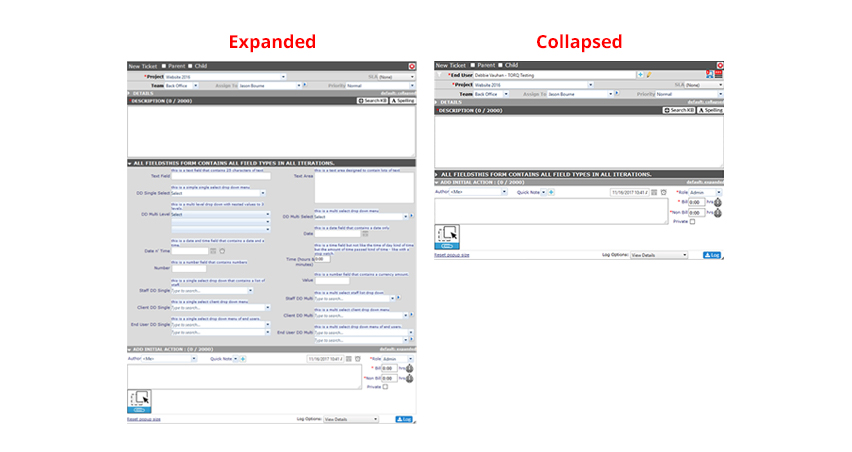
Collapse Custom Fields
You can now collapse custom fields when logging a ticket or when looking at an existing ticket.
November 2017
> Collapse Custom Fields
November 2017
> Default System Action Icon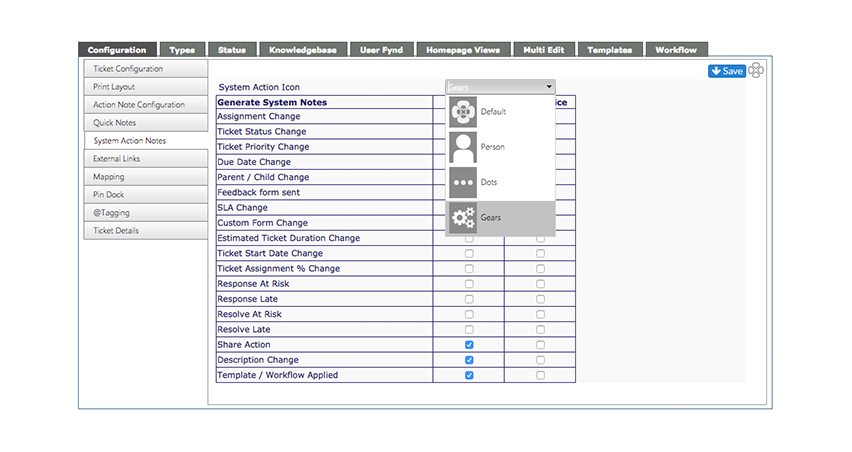
System Action Icon Options
We have updated our Default System Action icon. You can now also choose from three other icon options.
Must be selected by an admin
November 2017
> Default System Action Icon