September 2017 Update
What's new this month
Knowledge Base
- Home Page
- Branding
- Article top bar
- Search
- Linking articles to tickets
- Article preview
- Tags
- Adding articles
- Visibility
- Admin area
Other updates


September 2017
> Knowledge Base > Home page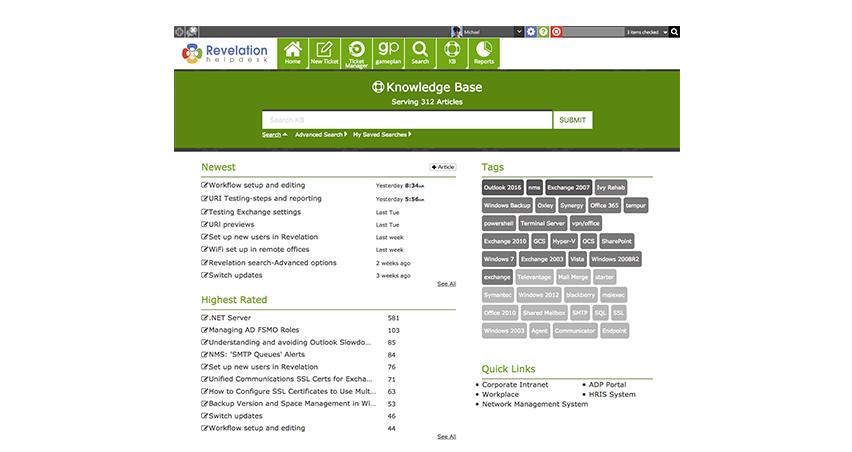
Home page
The Knowledge Base has been rebuilt with extensive new functionality and a brand new look.
September 2017
> Knowledge Base > Home page
September 2017
> Knowledge Base > Branding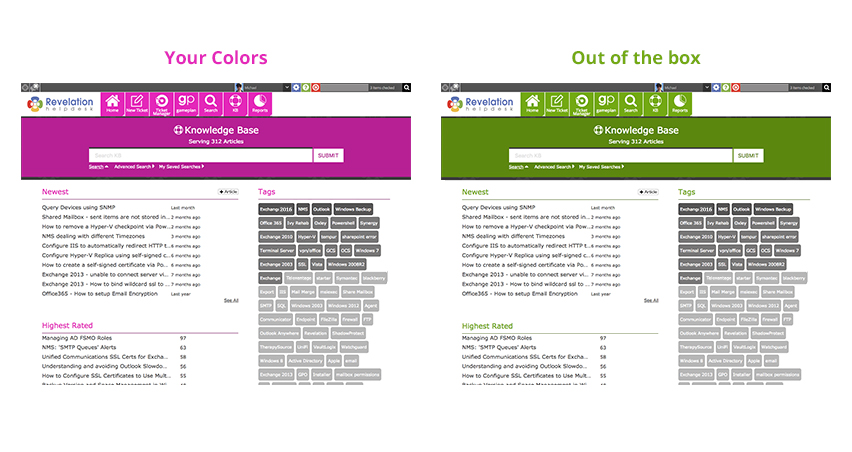
Ties to your branding
The Knowledge Base will automatically brand itself based on your chosen navigation color.
September 2017
> Knowledge Base > Branding
September 2017
> Knowledge Base > Article top bar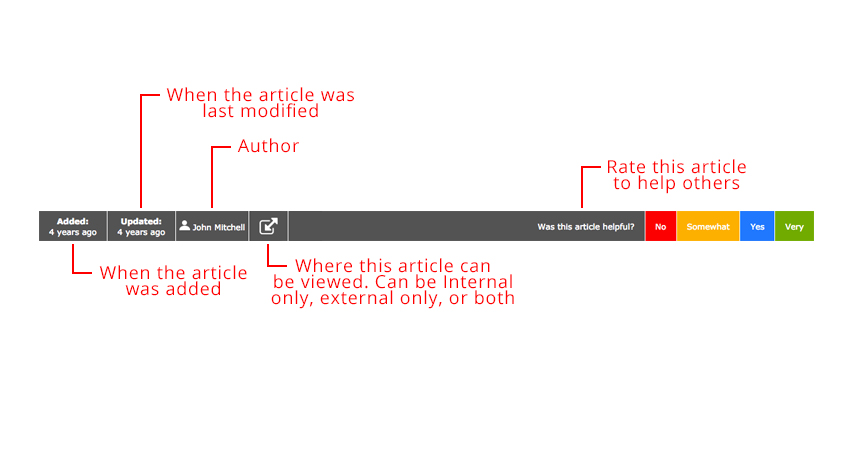
Article top bar
See important information about
an article and rate it to
help guide others.
September 2017
> Knowledge Base > Article top bar
September 2017
> Knowledge Base > Search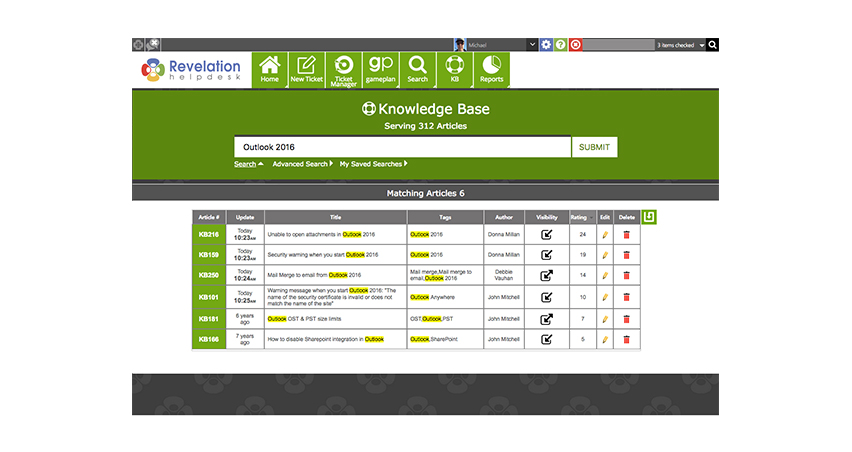
Search
Search the Knowledge Base and see your results highlighted in an easy to read grid.
September 2017
> Knowledge Base > Search
September 2017
> Knowledge Base > Search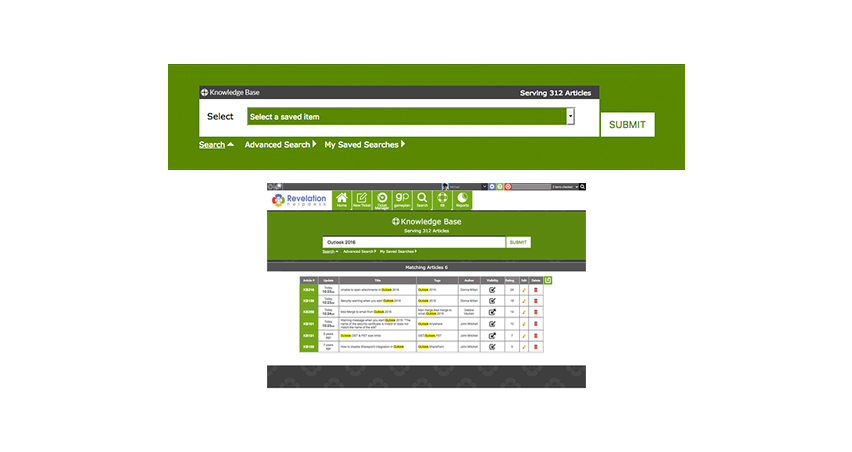
Saving searches
Save your most common searches by clicking the icon in the top right of your results. You will be able to select it later from the My Saved Searches drop down.
September 2017
> Knowledge Base > Search
September 2017
> Knowledge Base > Search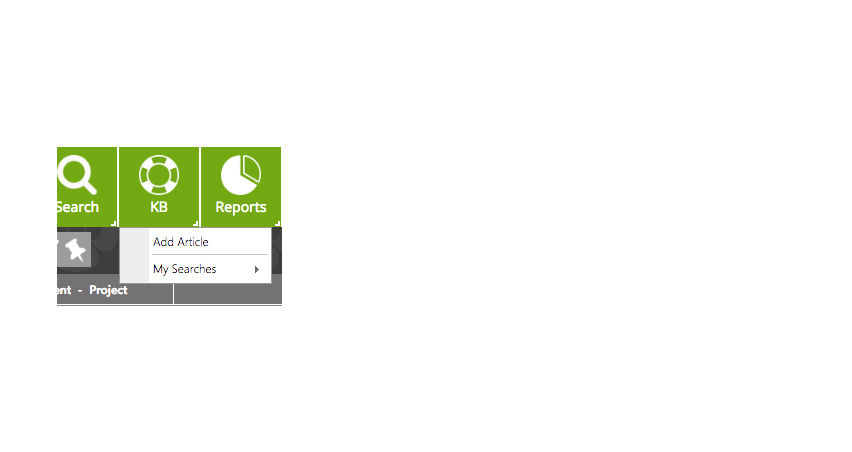
Saving searches
Once you have a Saved Search, you can also access it by right clicking on the KB button in the main navigation.
September 2017
> Knowledge Base > Linking articles to tickets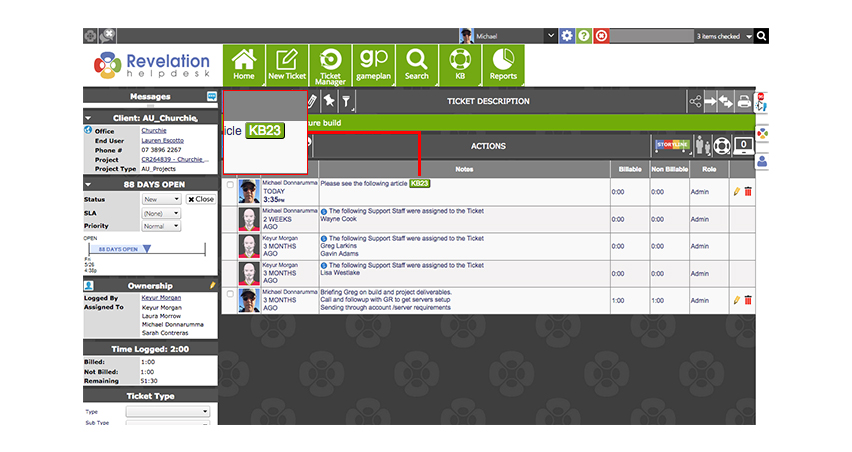
Linking articles to tickets
You can now directly connect KB articles to tickets. You can do this:
- When logging a ticket
- From the Ticket Details screen
- Manually, when adding an action note

September 2017
> Knowledge Base > Linking articles to tickets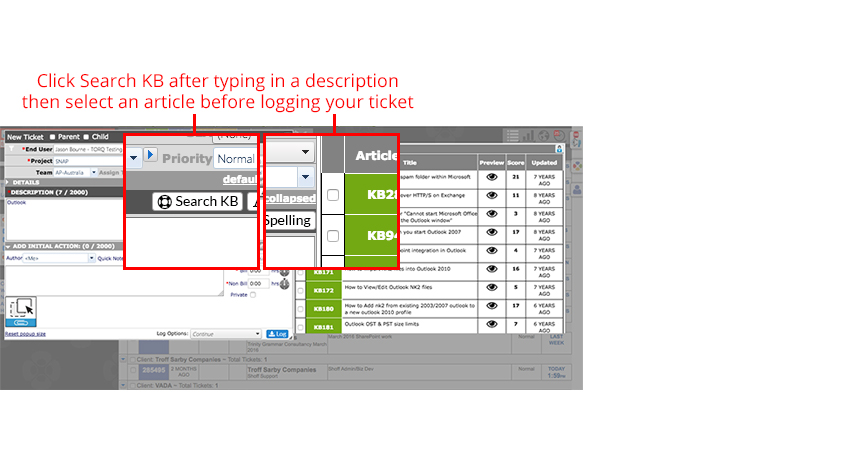
When logging a ticket
September 2017
> Knowledge Base > Linking articles to tickets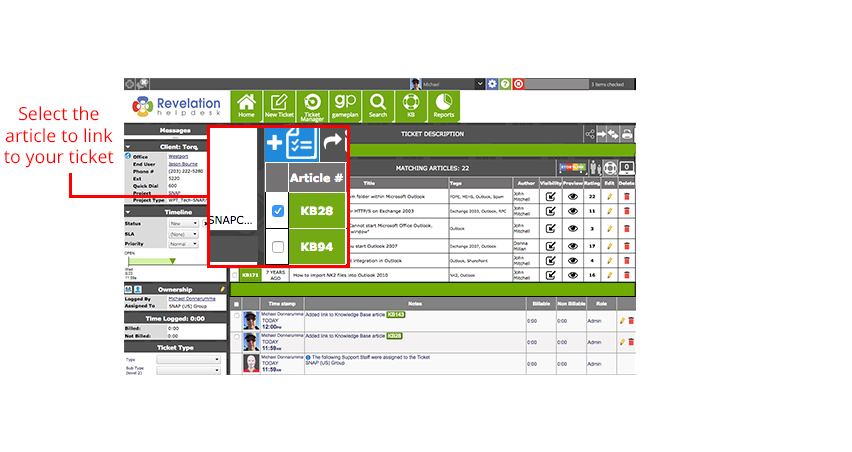
From within a ticket
September 2017
> Knowledge Base > Linking articles to tickets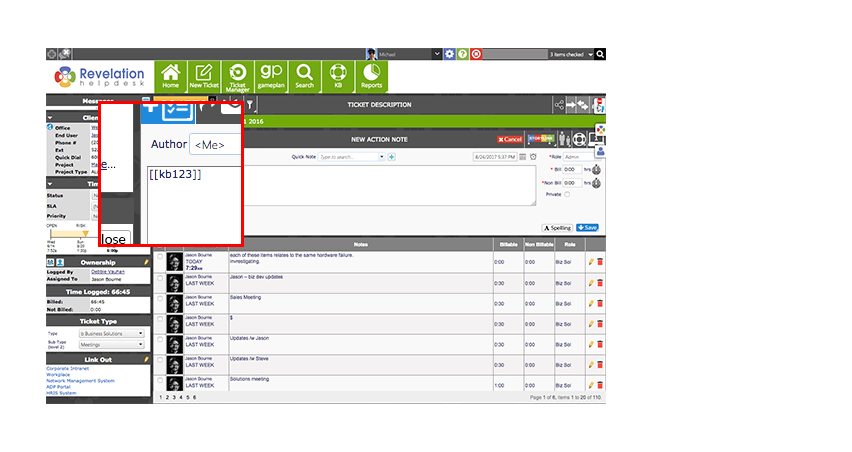
Or manually
Just put the number between double square brackets with "kb" before it like the example below.
EXAMPLE: [[KBArticle#]]
September 2017
> Knowledge Base > Article preview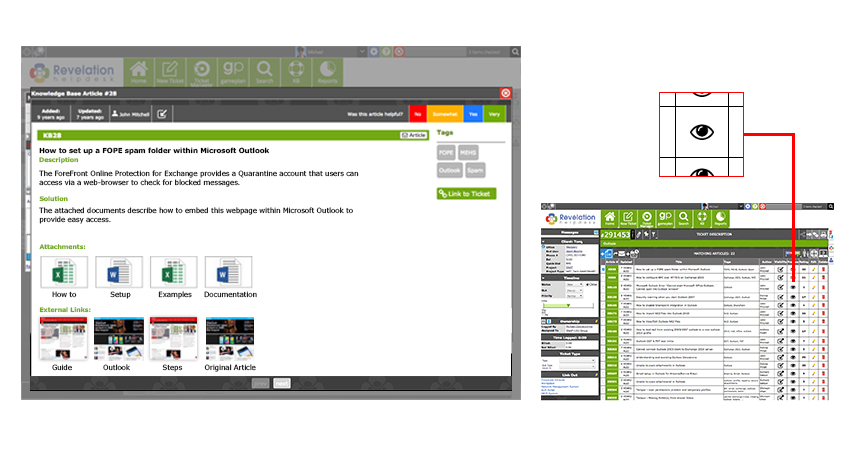
Article preview
Preview a Knowledge Base article before you link it to an existing ticket, or while logging a new ticket. Check out the articles by clicking on the eye icon, and toggle through them to select the correct one.
September 2017
> Knowledge Base > Article preview
September 2017
> Knowledge Base > Tags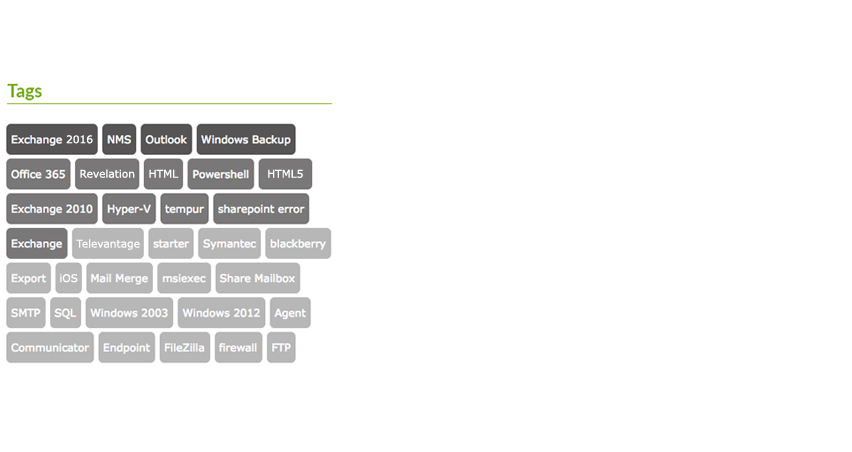
Tags
The darker the color, the more articles on the topic.
September 2017
> Knowledge Base > Adding articles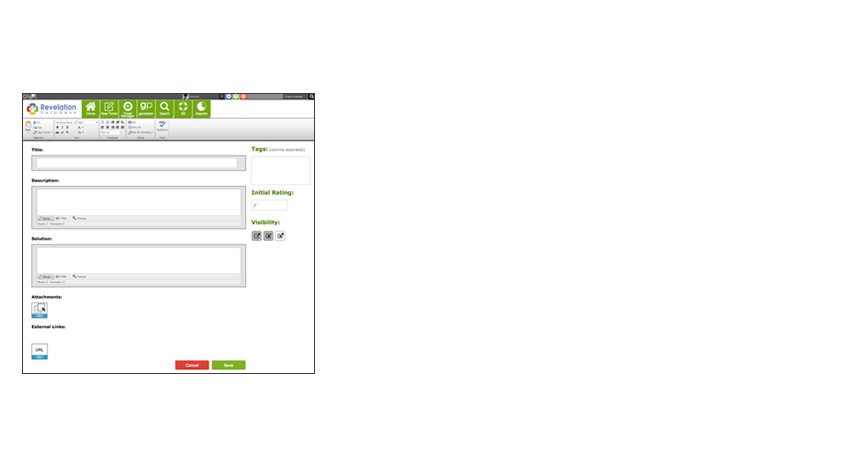
Adding articles
Add and edit articles anytime, just click the add article button on the KB home or edit button when viewing an article.
September 2017
> Knowledge Base > Adding attachments and links to articles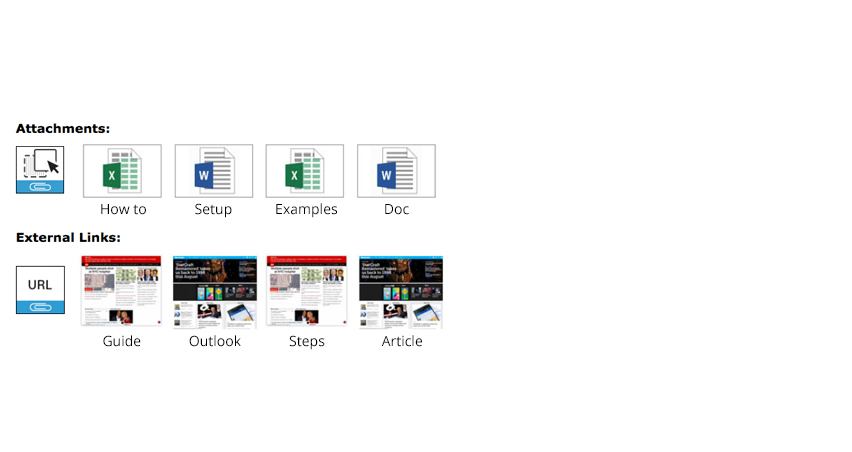
Adding attachments and links to articles
Add attachments and external links to your article by clicking these icons.
September 2017
> Knowledge Base > Visibility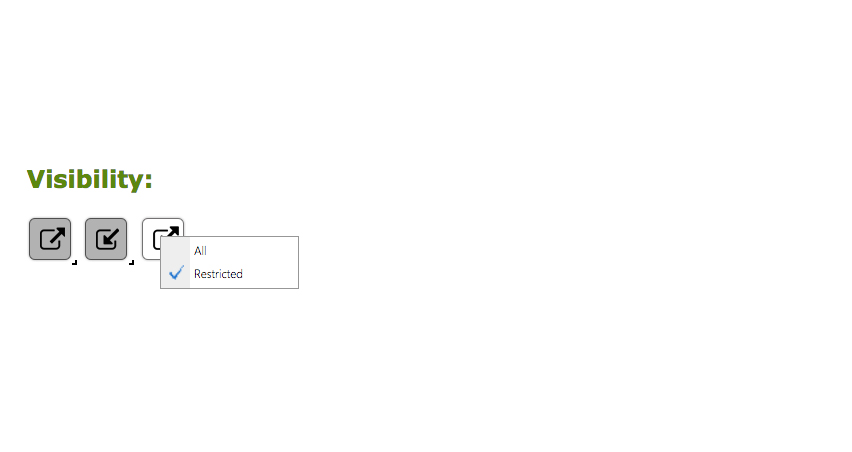
Right click visibility
Right click visibility when editing an article to restrict who can view articles.
September 2017
> Knowledge Base > Visibility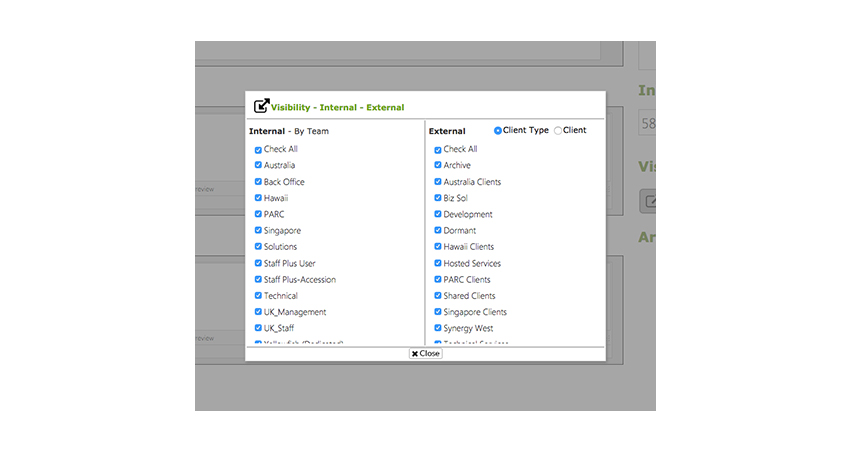
Restrict visibility
Articles can be restricted by customer, customer type, or internally by team.
September 2017
> Knowledge Base > Visibility
September 2017
> Knowledge Base > Visibility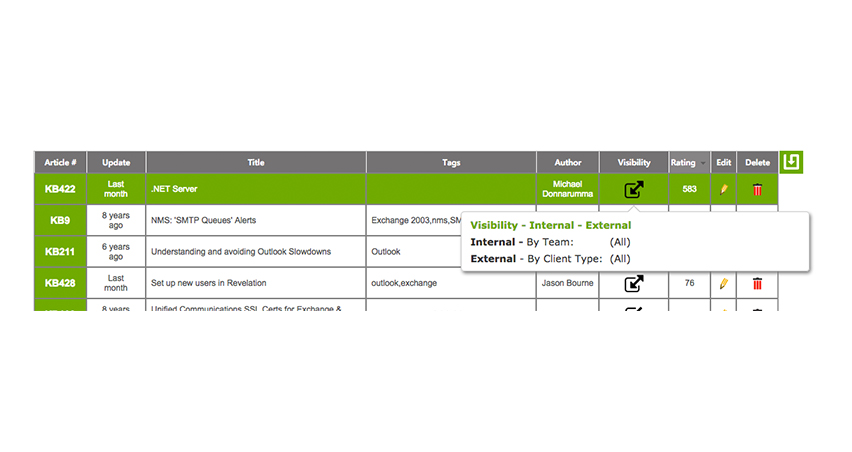
Hover visibility
Hover over the visibility icon to see who can view the Knowledge Base article.
September 2017
> Knowledge Base > Visibility
September 2017
> Knowledge Base > Admin area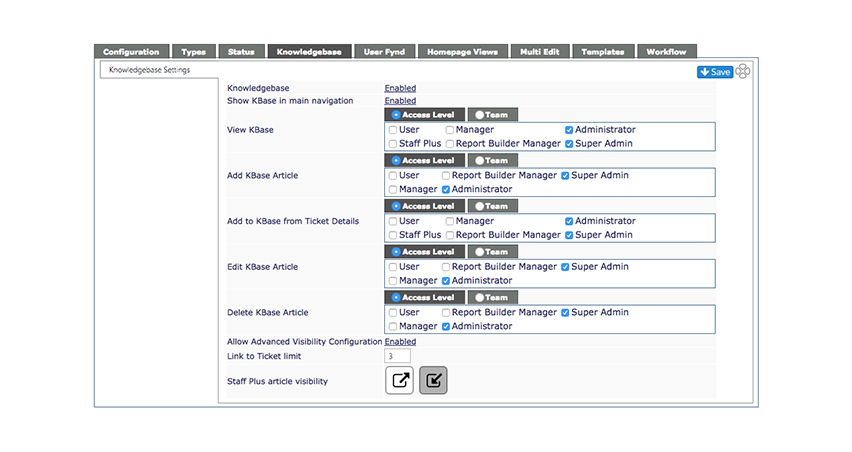
Admin area
Have control over who can see the Knowledge Base and more.
September 2017
> Knowledge Base > Admin area